Buildin vs. Trello: Beyond Kanban, Which is the Ultimate Task and Knowledge Hub?
Buildin vs. Trello explained: a deep comparison of Kanban task management versus AI-powered knowledge work to help teams choose the right tool.
In the realms of project management and team collaboration, Trello and Buildin represent two distinct productivity philosophies.
Trello, the pioneer of the Kanban board, defined the modern standard for "workflow management" with its signature simplicity and intuitive interface. However, as modern work shifts toward "knowledge-intensive" patterns, simple task tracking often falls short when faced with needs like deep documentation, AI-assisted brainstorming, and content monetization. Enter Buildin, a rising contender that aims to build a boundary-breaking, all-in-one workspace through modular pages, structured databases, and native AI capabilities.
This blog provides a comprehensive comparison of these two powerhouses, dissecting their underlying logic, collaboration experiences, and core features to help you make the best choice for your team's specific pain points.
Quick Feature Comparison
| Core Features | Trello | Buildin |
|---|---|---|
| Core Logic | Kanban, Lists, Cards | Pages, Databases, Nested Workspaces |
| Automation | Native Butler Automation | API Access & Workflow Plugins |
| Documentation | Card Descriptions & Attachments | Rich Text, Infinite Nested Pages |
| Mind Mapping | Requires Third-party Plugins | Native Support for Structured Logic |
| AI Assistance | Third-party Power-Ups | Native AI Knowledge Base (Summary/Search) |
| Integrations | Massive Power-Ups Ecosystem | Open API + MCP Protocol Support |
| Data Migration | Basic CSV/JSON Import | Notion API, MD, CSV, Word Support |
| Monetization | Internal Collaboration Only | Built-in Paid Subscriptions & Paywalls |
| Deployment | SaaS (Cloud) Only | SaaS (Cloud) + On-premise / Private Cloud |
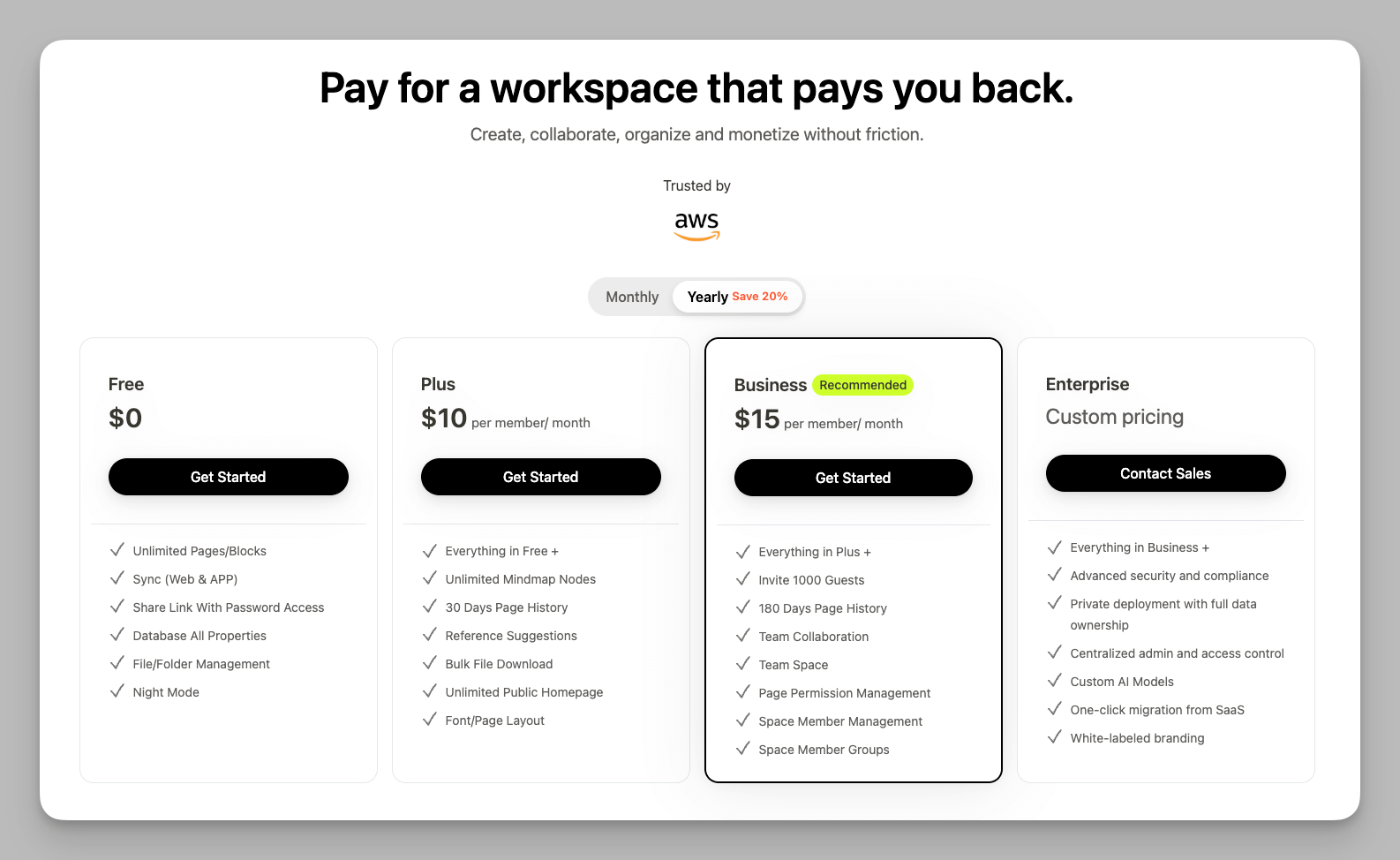
| Starting Price | Free Plan Available / Paid from $5/mo | Free Plan Available / Paid from $10/mo |
Product Profiles: What Are They?
Trello: The "Minimalist" Master of Flow
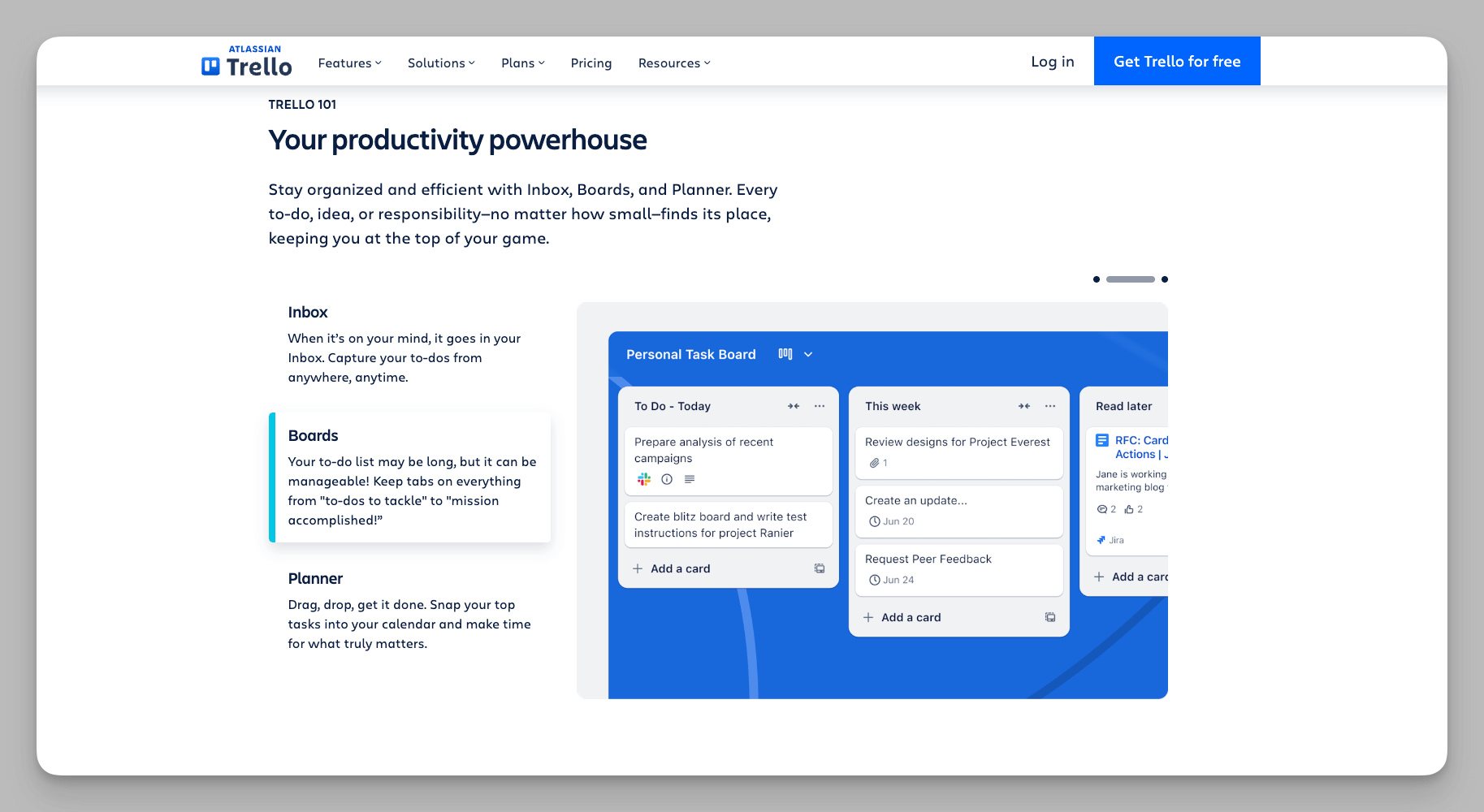
Trello's logic is refreshingly straightforward, centered entirely around Boards, Lists, and Cards. This design is like a digital wall covered in colorful sticky notes, allowing you to grasp the real-time progress of any project at a glance. As a peak of minimalism in project management, its greatest strength lies in its "out-of-the-box" intuitiveness. Whether it's a new hire or a team member who isn't tech-savvy, Trello requires almost zero learning curve. For teams with highly standardized workflows—such as bug tracking, basic content calendars, or simple personal to-dos—Trello remains one of the most efficient, low-friction options on the market.
Despite its simple exterior, Trello is powerful under the hood. Its built-in Butler automation allows users to set simple rules that trigger actions when cards are moved, such as auto-assigning members or setting deadlines. Combined with its mature Power-Ups ecosystem, you can plug in thousands of tools like Slack and Jira, turning Trello into a lightweight collaboration portal that scales through integrations.
Buildin: The "Integrationist" Super-Brain
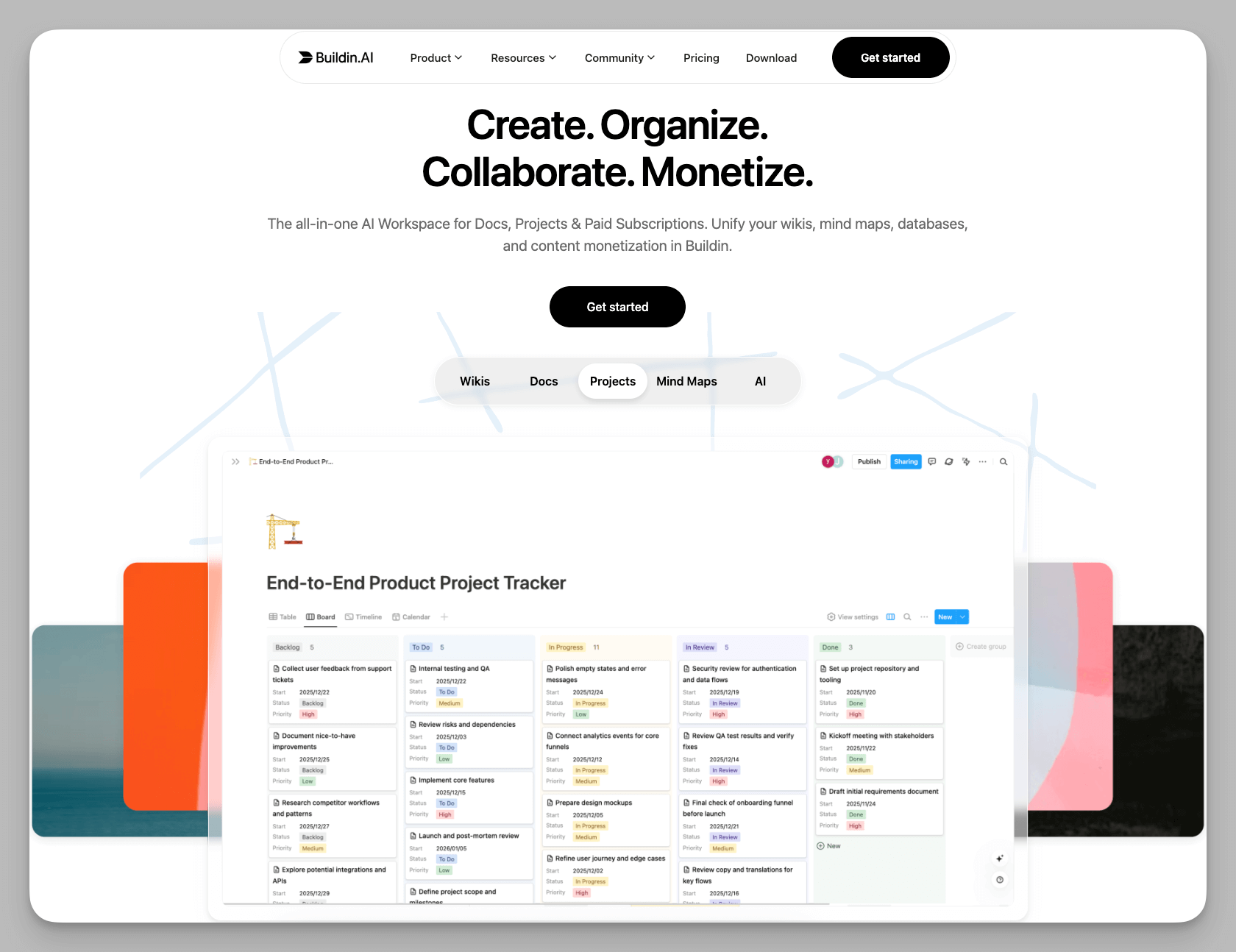
In contrast, Buildin positions itself as an "All-in-one Workspace." Often seen as a powerful alternative to Notion, it breaks down the barriers between tasks and documents. It integrates documentation, database management, mind mapping, and knowledge storage into a single dimension. Using a "Lego-like" modular design, any page can transform into a note, a Kanban board, or a complex table. This flexibility allows it to handle everything from fragmented inspiration to massive, rigorous corporate knowledge systems.
Buildin's true competitive edge is the closed loop it provides from "inspiration to execution." Often, work begins as a messy web of ideas. With Buildin's native mind-mapping, you can structure your logic quickly. Once a concept matures, those ideas seamlessly transition into database tasks or deep-dive documents without switching apps. It addresses the long-standing fragmentation problem that knowledge workers face—where ideas are scattered in note-taking apps, plans reside in mind maps, and execution happens in project tools. You can see a practical workflow example in this article on building an efficient workflow with Buildin. For creators and teams seeking deep logic and high-frequency knowledge output, Buildin offers a truly unified environment.
Deep Dive: Core Differences & Use Cases
1. Management Logic: Card Flow vs. Structured Spaces
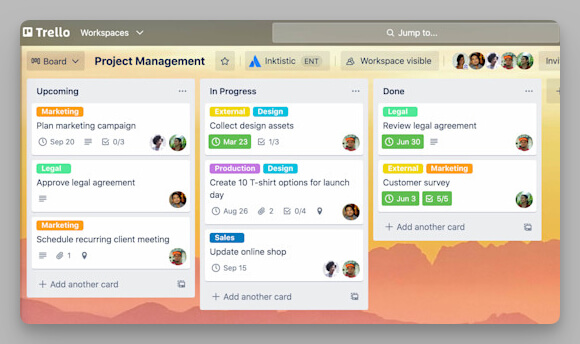
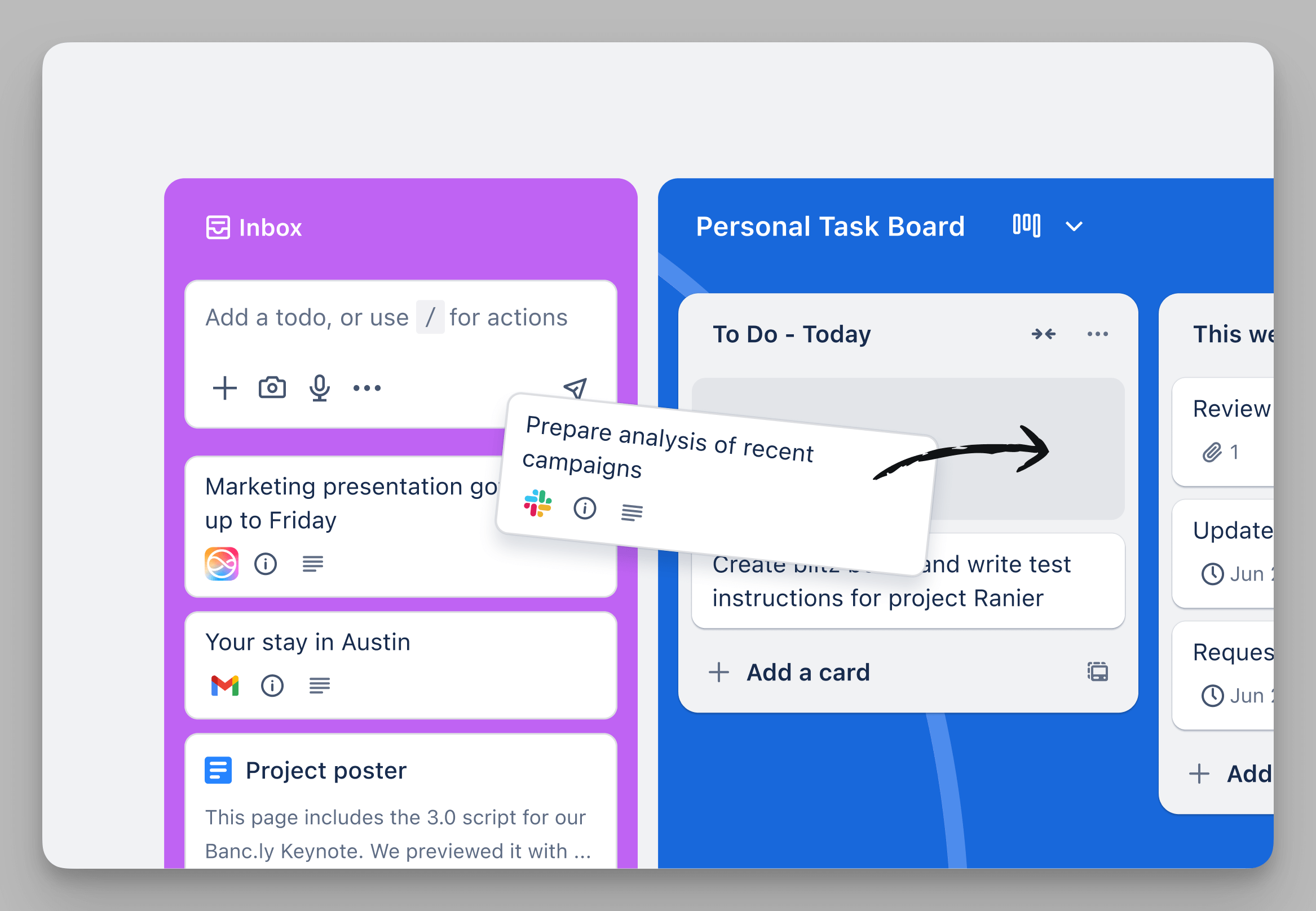
- Trello: Focuses on "Task Cardification." All information flows through the movement of cards on a board. This "flat" management style provides instant visual feedback on "who is doing what," making it perfect for action-oriented and status-oriented workflows. For instance, in bug tracking, each card slides from "To Do" to "Fixed," making the status crystal clear.
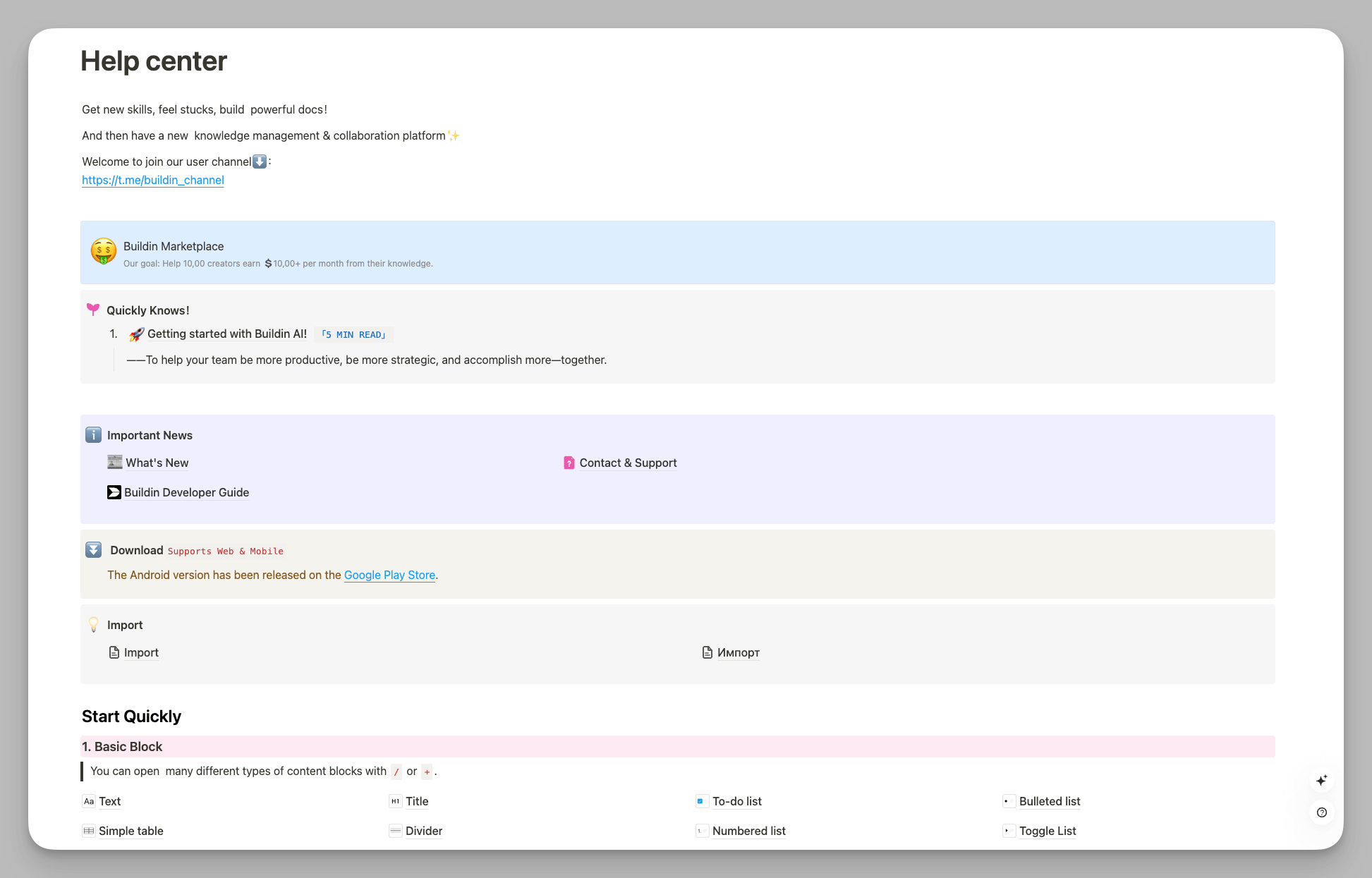
- Buildin: Focuses on "Structured Spaces," treating tasks as just one type of entry in a database or document. It allows you to organize a 10,000-word whitepaper, daily meeting notes, and specific dev tasks within the same nested hierarchy. It doesn't just track what is being done, but also the why and the how. For example, when planning a PR campaign, you can have the background at the top, a mind map in the middle, and a task database at the bottom—all on one page.
2. Efficiency Drivers: Automation Rules vs. Native AI
- Trello: Driven by the Butler Automation system. Users can define graphical trigger rules, such as "When a card is due in 24 hours, auto-add the lead and mark as high priority." This logic-based automation is incredibly efficient for standardized, repetitive production-line tasks, ensuring consistent execution.
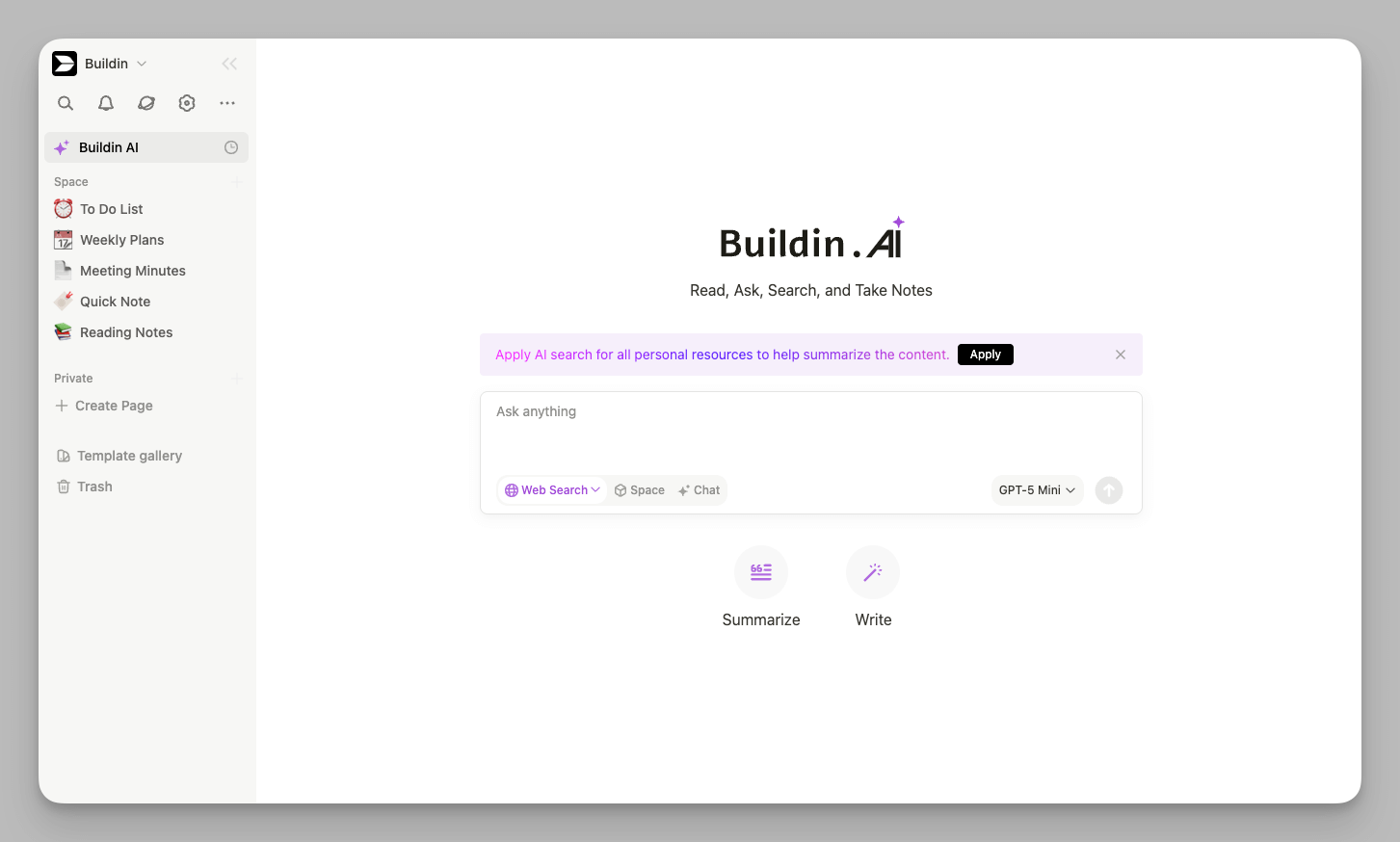
- Buildin: Driven by a deeply integrated Native AI Knowledge Base. It uses AI to understand the semantics of your document library, offering features like one-click summaries of long meetings, smart drafting, or action-item generation. More importantly, its "Conversational Search" allows the AI to answer business questions based on your stored assets, saving you from digging through hundreds of cards or attachments.
3. Collaboration Boundaries: Ecosystem Breadth vs. Co-creation Depth
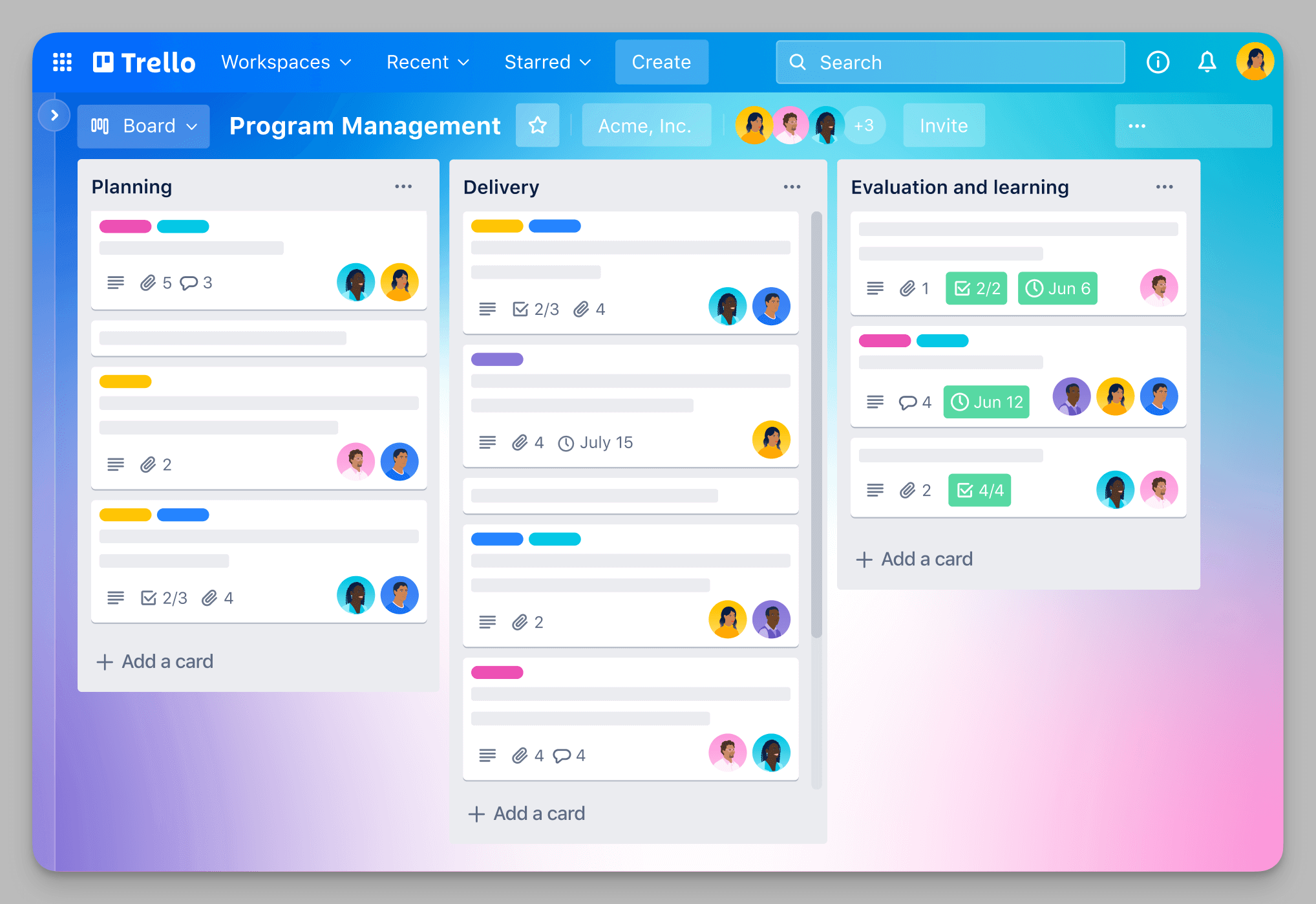
- Trello: Excels at collaboration through external connections. Its massive Power-Ups ecosystem (linking Jira, Slack, Github, etc.) breaks down barriers between different software. It acts as a professional hub that aggregates information from various sources onto a single board, serving as a center for team synchronization.
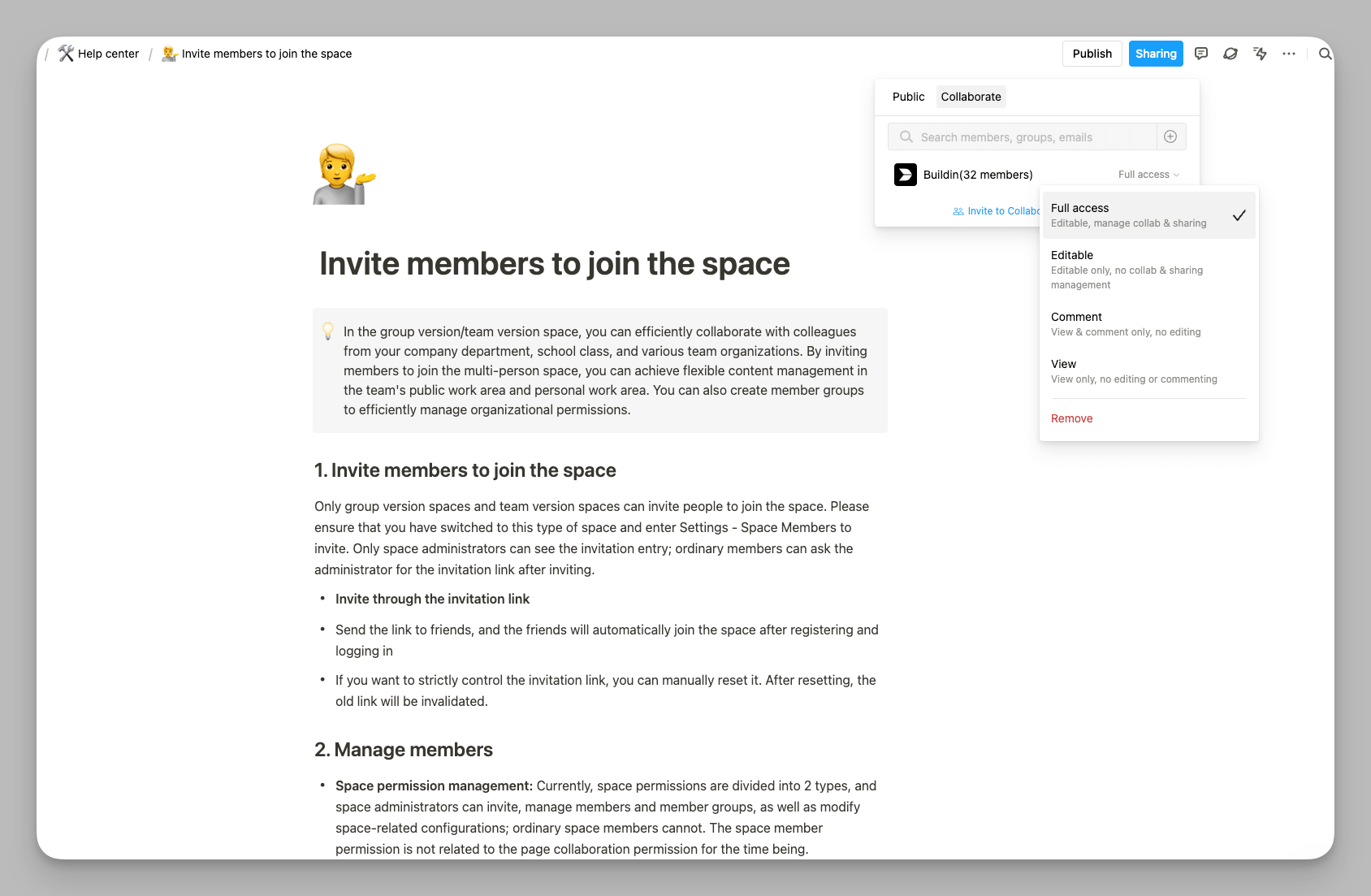
- Buildin: Excels at deep, native co-creation. It provides a fluid multi-user real-time editing experience, much like working on a shared "canvas." Beyond basic page comments, it supports in-line comments, flexible "@" mentions, and granular permission management. This ensures team members aren't just seeing task statuses but are actively collaborating on complex technical architectures or long-term knowledge assets in the same space.
4. Value Dimension: Pure Productivity vs. Creator Monetization
Trello: Positioned as a pure "Internal Productivity Aid." Its features are designed to make project delivery faster and more transparent. For Trello, the workspace is a private domain for team collaboration, and its functional boundaries end at the internal delivery loop.
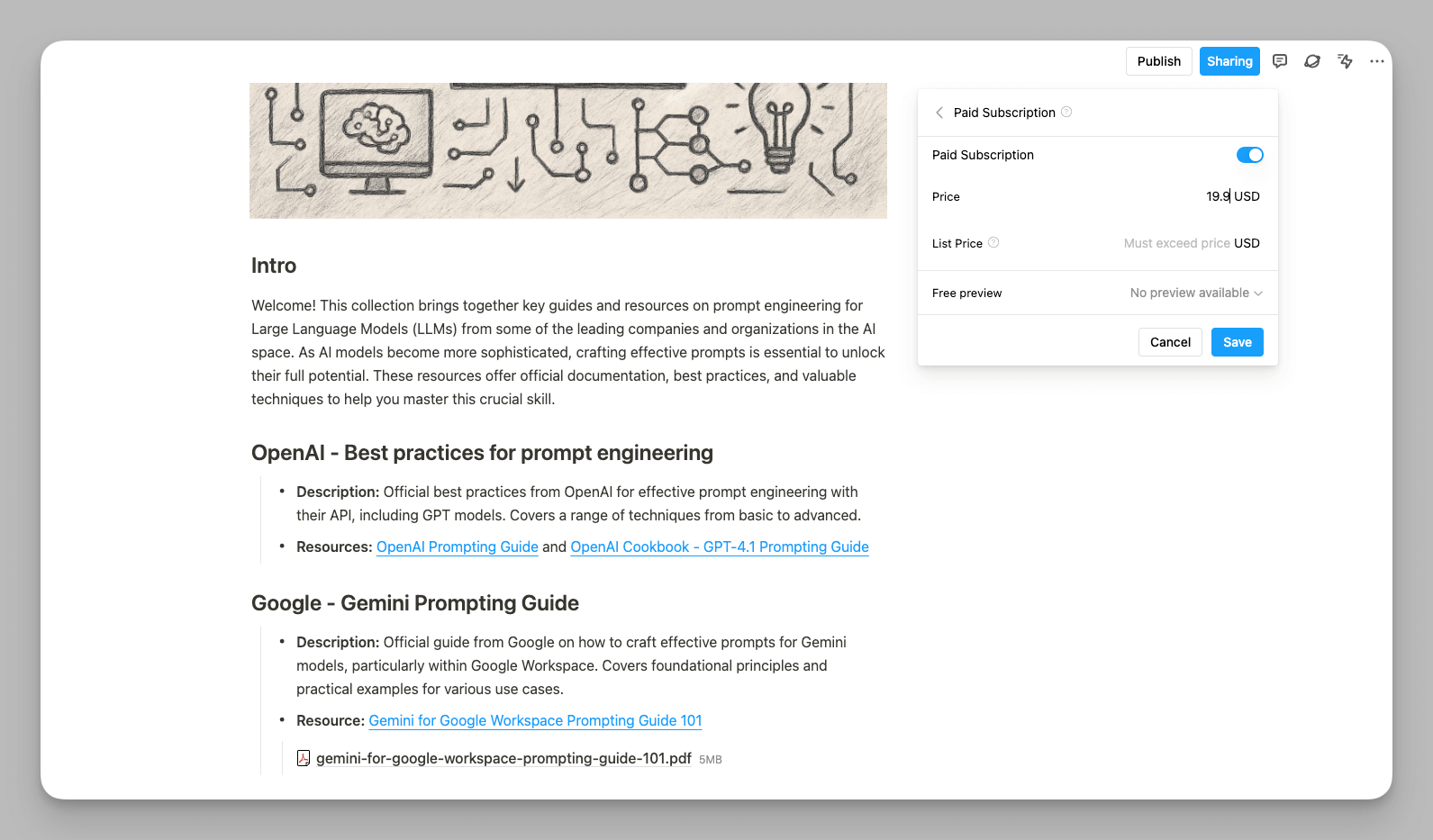
Buildin: Builds on collaboration features by opening a "Commercialization" path for creators. It features built-in paid subscriptions and content paywalls. This makes Buildin not just a tool, but a business operations platform. It allows digital creators to turn their collaborated knowledge assets (like professional courses or industry reports) directly into revenue, filling a gap left by traditional management software. For a step-by-step example of how to streamline this process, see this article on building an efficient workflow with Buildin.
5. Deployment Models: Minimalist SaaS vs. Flexible Self-Hosting
Trello: A world-class SaaS product offering an "instant-on" experience. Data is fully managed in a trusted cloud environment, so users don't have to worry about maintenance. This is ideal for those who want to focus 100% on their business without technical overhead.
Buildin: While offering SaaS flexibility, it uniquely supports On-premise / Private Cloud deployment (Self-Hosted). This allows users to keep their data on their own servers and connect to approved AI services within a controlled environment. For industries with strict data sovereignty requirements, or teams that need to integrate AI-assisted workflows within controlled or restricted network environments, Buildin provides a level of control that cloud-only tools cannot match.
Summary: Which One Should You Choose?
Choose Trello, if:
You need a pure, simple Kanban board without the fluff.
You rely heavily on a wide array of third-party integrations (Jira, Slack, etc.).
Your team prioritizes "Task Status" over "Knowledge Storage."
Choose Buildin, if:
You want to build a comprehensive Knowledge Base for yourself or your team.
You are a Digital Creator looking to monetize your content directly.
You need advanced tools like Mind Maps and Native AI, and value Data Privacy or Self-hosting.
Final Thoughts: Find Your Productivity Logic
In conclusion, Trello and Buildin are not necessarily direct replacements for each other; they represent two different workflow directions. Trello is about the art of "Motion"—it simplifies complex processes and is perfect for fast-paced, standardized task tracking. Buildin is about the integration of "Thought"—it stitches together inspiration, documentation, and action for the modern knowledge worker seeking deep output.
If you find your current collaboration too fragmented, or you're struggling to turn knowledge into a tangible asset, we highly recommend giving Buildin a try. Moving from "Kanban thinking" to "Space thinking" might just be the productivity awakening you need.

Amara Elara
Specializes in visualizing complex processes and improving product education. Responsible for user support, product tutorials, and visual guides at Buildin, helping users improve tool adoption and overall productivity.