16 Best Second Brain Apps in 2026 (Tested & Ranked)
In 2026, a Knowledge Management Tool is a cognitive necessity for navigating information overload. A "Second Brain," as popularized by Tiago Forte, serves as your digital mind to capture and synthesize insights. Today’s best Second Brain Apps, led by Buildin, have evolved beyond simple note-taking into AI-powered knowledge bases that support the Zettelkasten method and content monetization.
In 2026, the volume of digital information has reached an unprecedented peak. The best knowledge management systems and second brain apps don't just store information — they help you filter, organize, and produce output from it. As coined by productivity expert Tiago Forte, a "Second Brain" is an external, digital repository for your ideas, notes, and creative work. The best second brain apps in 2026 have evolved far beyond simple note-taking into AI-powered knowledge management systems that support structured thinking, team collaboration, and content monetization.
Choosing the right knowledge management system is no longer just about taking notes — it's about building a cognitive partner that grows with you. Whether you're a digital creator looking to monetize your insights, a researcher building a Zettelkasten system, or a team lead who needs structured collaboration, the PKM landscape in 2026 has specialized solutions for every workflow. This guide ranks the 16 best second brain apps based on hands-on testing, G2/Capterra reviews, and real-world use cases.
This guide analyzes the top 16 Second Brain Apps of 2026, focusing on how they help you capture, organize, and—most importantly—output your knowledge.
Why You Need a Second Brain in 2026: The Real Cost of Information Overload
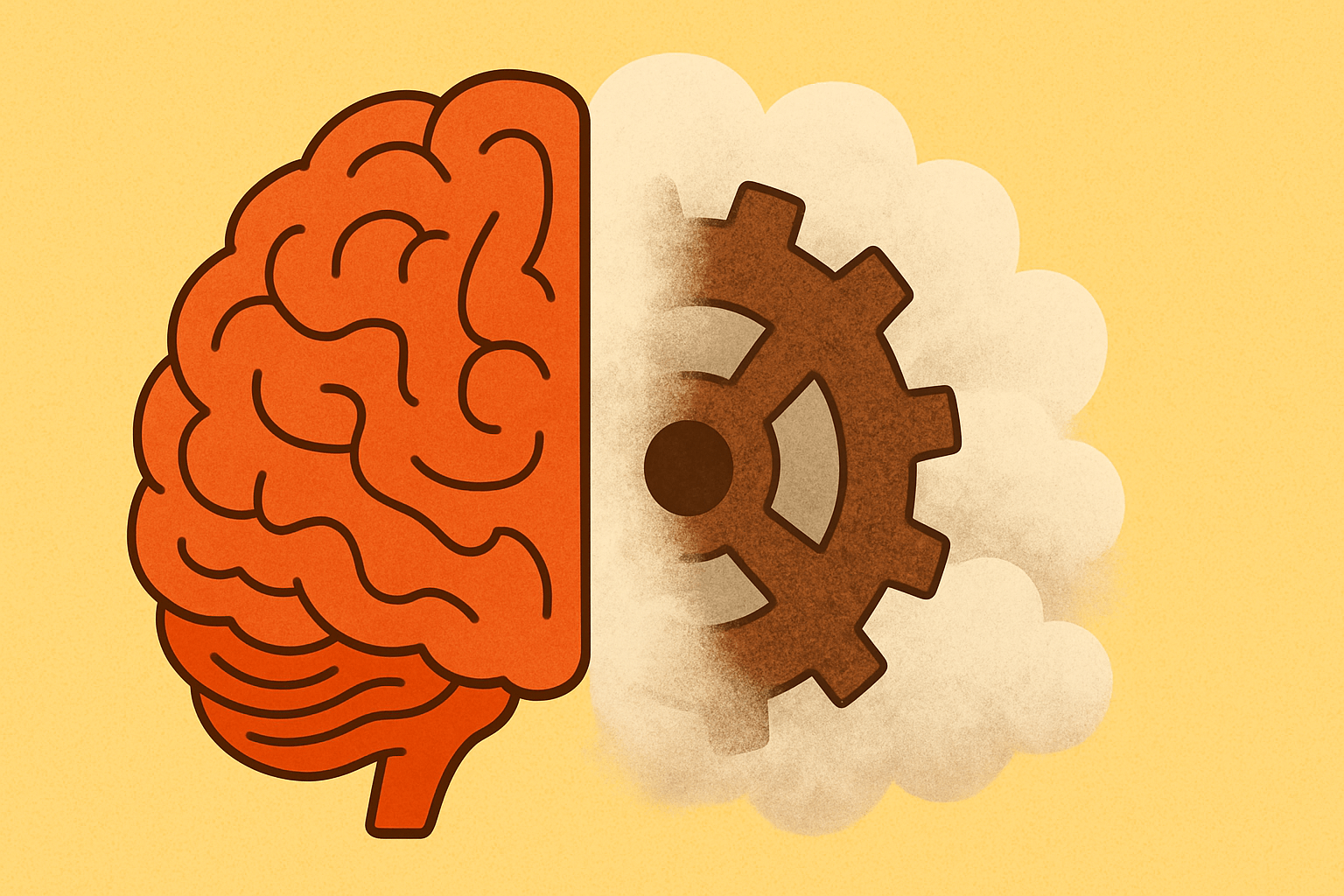
Before comparing tools, it helps to be precise about the problem they solve. The term "brainrot" — excessive immersion in low-density, high-repetition, emotionally charged content — bluntly captures what happens when we let algorithms dictate our information diet. The cost is far greater than wasted time:
- Erosion of deep work. Constant exposure to instantly gratifying content weakens our capacity to process complexity and sustain focus. Like an unused muscle, the brain's ability for deep work atrophies.
- Depletion of attention. Endless scroll and rapid topic switching train the brain for distraction, making it harder to enter the flow state that productive work requires.
- Stifled creativity. Creativity comes from novel connections between diverse pieces of information. A homogenous, repetitive information diet starves that process.
- Reinforced bias. Algorithmic filter bubbles narrow exposure to differing perspectives and harden existing beliefs.
The most effective answer to information overload is not digital abstinence — it is a deliberate system for managing information. That system is what a second brain is, and it rests on four proactive habits no app can supply for you:
- Filter proactively. Consciously choose your sources. Replace aimless algorithmic feeds with intentional searches and quality subscriptions.
- Capture proactively. Record valuable information the moment you meet it. The act of recording is itself a form of processing.
- Connect proactively. Link new notes to existing ones. Effective personal knowledge management builds a web, not a list.
- Reflect proactively. Revisit and reorganize regularly, turning your system into a space for dialogue with yourself.
The apps below differ mainly in how much friction they add to each of those four steps. Read the list with that lens, and the right pick for your workflow gets much easier to see.
Quick Comparison: 16 Second Brain Apps at a Glance
| App Name | Primary Strength | Knowledge Logic | AI Capabilities | Data Storage | Monetization | Best For |
|---|---|---|---|---|---|---|
| Buildin | All-in-One + Monetization | Pages, Databases, & Mind Maps | Advanced (Semantic & Generative) | Cloud / On-premise Deployment | Yes (Native) | Digital Creators, Teams, Knowledge Entrepreneurs |
| Recall | Frictionless Capture & Long-Term Retention | Connected Knowledge Graph | Extreme (Auto-summary & Source-grounded Chat) | Cloud (Markdown-exportable) | No | Researchers, Lifelong Learners, Content Curators |
| Obsidian | Privacy & Plugin Ecosystem | Bi-directional Links (Markdown) | Plugin-dependent | Local-first | No | Power Users, Privacy Enthusiasts, Academics |
| Tana | Semantic Structure | Supertags & Objects | High (Auto-tagging & Schema) | Cloud | No | Systems Thinkers, Data Architects |
| Heptabase | Visual Learning | Infinite Whiteboard & Cards | Native (Spatial Search) | Cloud | No | Visual Learners, Deep Researchers |
| Logseq | Open-source Outliner | Block-based / Daily Journal | Plugin-dependent | Local-first | No | Developers, Students, Privacy Advocates |
| Anytype | Decentralization | Object-based Nodes | Native (Contextual) | P2P / Local-first | No | Designers, Sovereignty Advocates |
| Mem | Automation & Zero-filing | AI-organized Streams | Extreme (Self-organizing) | Cloud | No | Busy Professionals, "Action" Focused Users |
| Reflect | Speed & Security | Daily Notes & Calendar | Native (Whisper/Summary) | Cloud (End-to-end Encrypted) | No | Founders, Executives, Minimalists |
| Notion | Databases & Template Ecosystem | Pages & Database Views | Native (Paid Plans) | Cloud | No | Template Borrowers, Solo Builders, Small Teams |
| Saner.ai | Information Synthesis | Browser Side-panel & Summaries | High (Context Capture) | Cloud | No | Market Analysts, Information Workers |
| NotebookLM | Grounded Research | Source-based Documents | Extreme (Source-grounded) | Cloud (Google) | No | Scholars, Legal Experts, Students |
| Capacities | Personal Encyclopedia | Entity-based Classification | Native (Entity Linking) | Cloud | No | Collectors, Perfectionists, Wiki Builders |
| AFFiNE | Open Source & Self-Hosting | Docs / Canvas Hybrid | Native (Newer) | Local-first / Self-hosted | No | Developers, Privacy-minded Teams |
| Supernotes | Collaboration & Speed | Nested Cards | Native (Tagging/Summary) | Cloud | No | Agile Teams, Modern Students |
| Scrintal | Visual Architecture | Visual Canvas / Document Hybrid | Native (Relationship Mapping) | Cloud | No | Project Strategists, Big-picture Planners |
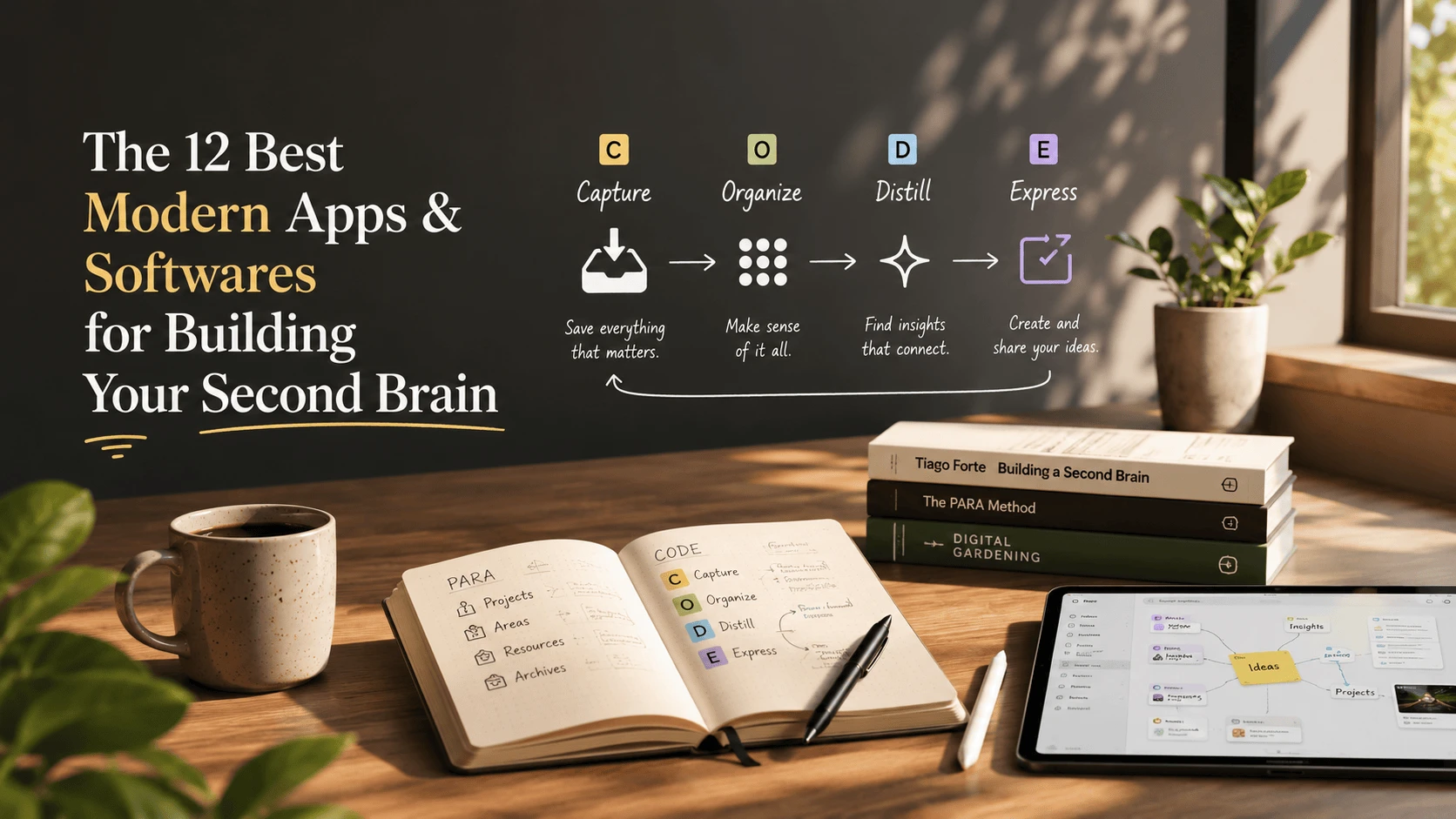
Not seeing Roam Research, Craft, Milanote, or Agenda? Those mainstream and Apple-ecosystem tools are covered in our companion roundup, The 12 Best Modern Apps & Softwares for Building Your Second Brain.
1. Buildin: The All-in-One Powerhouse for Creators and Teams
When discussing the best Second Brain Apps, Buildin represents the pinnacle of modern Personal Knowledge Management. While legacy tools often force a choice between personal use and team collaboration, Buildin bridges this gap with a sophisticated yet intuitive infrastructure. It is designed specifically for those who need their knowledge to "work" for them, whether through team productivity or direct monetization.
Key Features and Strategic Advantages
Buildin’s primary strength lies in its versatility. It offers flexible pages and databases that mirror the structure of high-end Notion alternatives, but with a significantly faster engine and a lower learning curve.
- Content Monetization & Paid Subscriptions: This is Buildin’s most disruptive feature. In 2026, many PKM users are "knowledge entrepreneurs." Buildin allows you to turn your notes, templates, or tutorials into paid content directly. You can set custom prices and offer recurring subscriptions, eliminating the need for third-party platforms. Your Second Brain becomes a direct revenue stream.
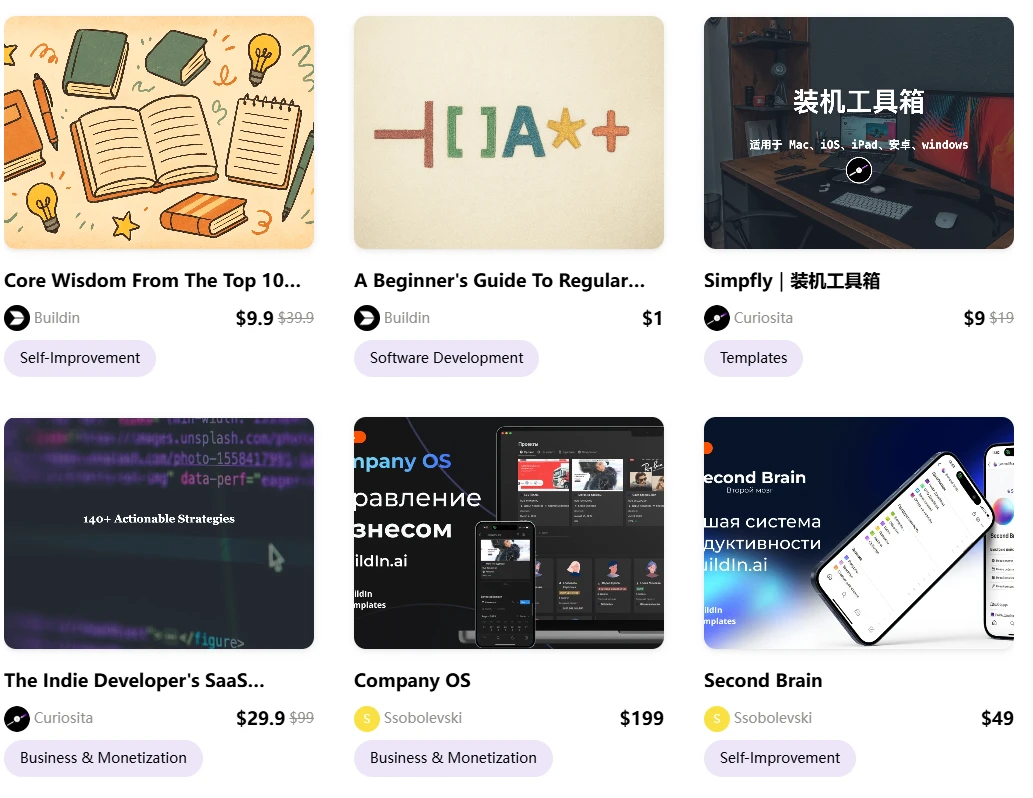
AI-Powered Knowledge Base: Buildin integrates AI at the core. It doesn’t just "search" your notes; it understands them. You can use AI to summarize complex databases, generate new content based on your existing research, and connect disparate ideas instantly.
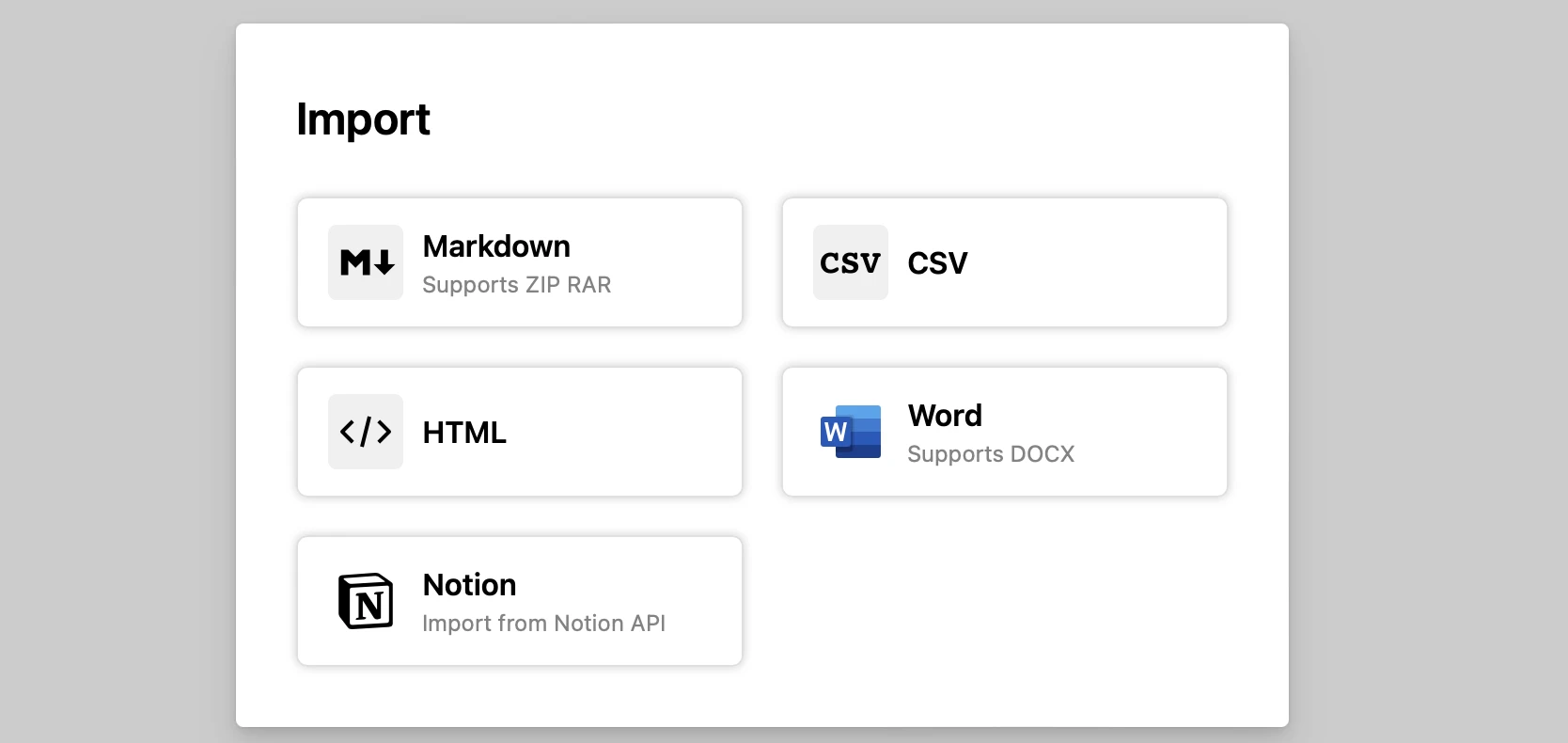
Seamless Notion Migration: For those frustrated by Notion’s performance, Buildin offers a direct Notion API import. Unlike simple Markdown exports, this preserves your original structure and formatting, making it a painless transition.
- Enterprise-Grade Security: Buildin addresses the primary concern of 2026: data sovereignty. For organizations, it offers private on-premise deployment, ensuring that your AI-powered knowledge base remains entirely under your control.
Limitations: There is no local-first storage — your notes live in Buildin's cloud rather than as plain Markdown files on your own disk, so if file ownership is the priority, Obsidian or Logseq fit better. The plugin and third-party integration ecosystem is also younger than Notion's.
Best for: Digital creators, educators, and teams who need a high-performance Knowledge Management Tool that integrates note-taking, project management, and monetization.
2. Recall: The AI-Powered Second Brain for Lifelong Learning
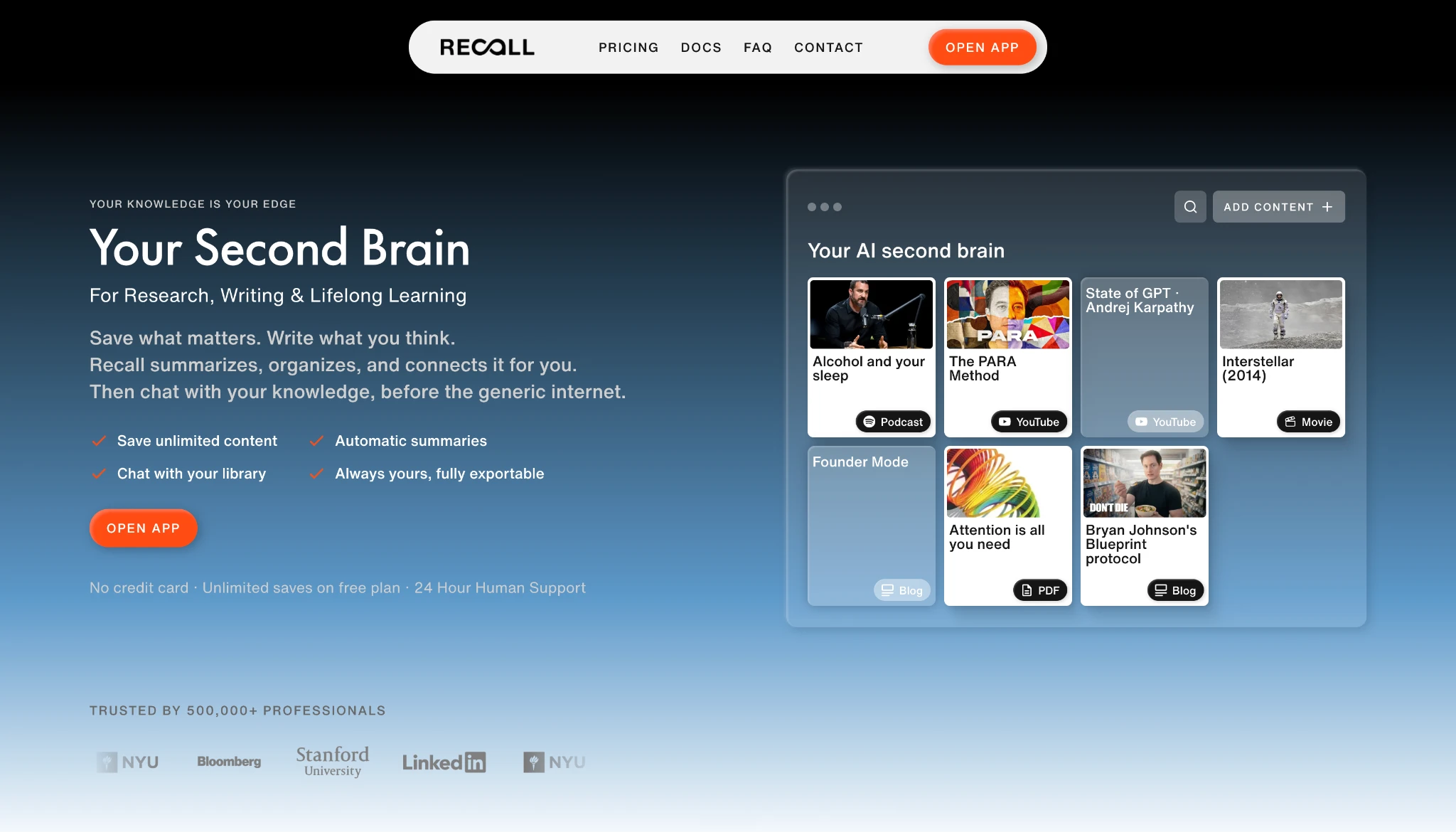
Recall is one of the best AI-powered Second Brain Apps built specifically for research, writing, and lifelong learning. Instead of asking you to design folders and maintain backlinks by hand, Recall captures what matters in one click, then summarizes, organizes, and connects it automatically. The result is a knowledge base you can chat with, so your own saved articles, videos, podcasts, PDFs, and notes become the first source of context before the generic internet.
Frictionless Capture Meets Long-Term Retention
Recall's core innovation is treating capture and memory as one continuous loop instead of two separate chores.
Frictionless Capture: Save articles, YouTube videos, podcasts, PDFs, webpages, and notes from your browser or phone in one click, so useful knowledge stops disappearing into tabs and bookmarks.
Self-Organizing Library: AI summaries distill the key ideas the moment you save, while automatic tags and categories replace the folders you would otherwise maintain by hand.
Chat With Your Knowledge: Chat across your full library, selected sources, a single card, or the web, with answers that cite your saved sources first so responses stay grounded in what you actually learned.
Connected Knowledge Graph: Recall links related ideas in a knowledge graph and resurfaces related content while you browse, so you rediscover what you saved in context.
Long-Term Memory: Built-in quizzes and spaced repetition resurface the most important ideas on schedule, turning what you save into lasting memory rather than a forgotten archive.
Limitations: Recall is built for capturing and reviewing other people's material rather than long-form authoring, and the library lives in the cloud, so it works best alongside a writing tool rather than replacing one.
Best for: Researchers, lifelong learners, and content curators who want an AI-powered knowledge base that turns saved material into lasting memory instead of a forgotten archive.
3. Obsidian: The Local-First Privacy Champion
Obsidian remains the gold standard for users who prioritize privacy and long-term data durability in their Second Brain Apps. As a "local-first" application, Obsidian stores your notes as plain Markdown files on your own device. This ensures that even if the company were to disappear, your entire Personal Knowledge Management system remains accessible and future-proof.
The Power of Linkage and Extensibility
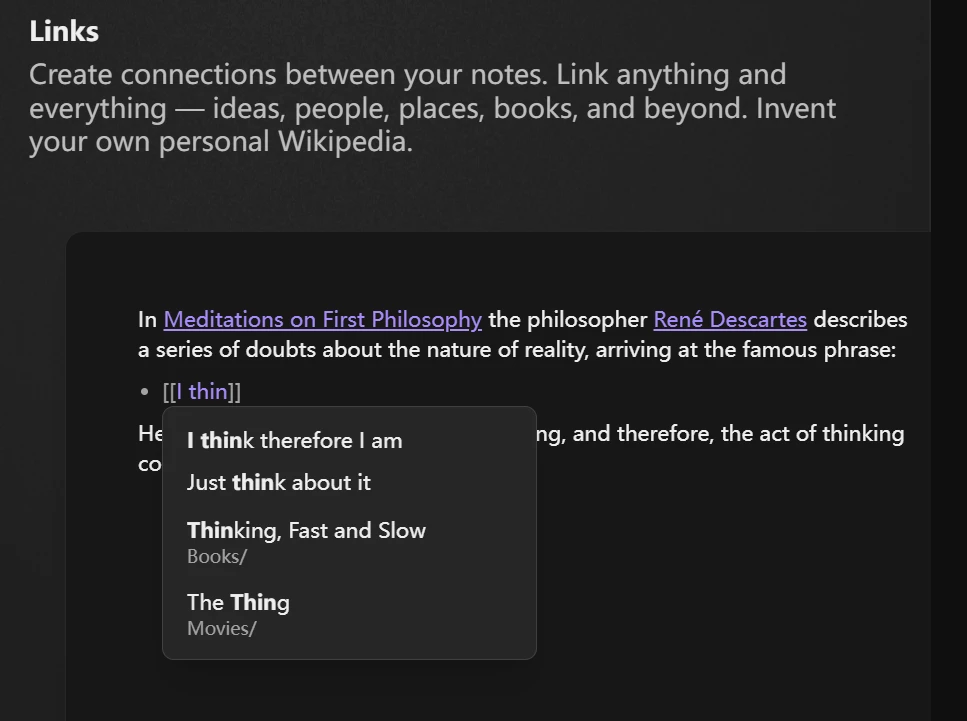
Obsidian’s philosophy is built around the Zettelkasten method, emphasizing the connections between notes rather than hierarchical folders.
- Graph View: Obsidian’s signature feature is the interactive Graph View, which visualizes how your notes are interconnected. This allows you to see the "clusters" of your thinking and identify gaps in your research.
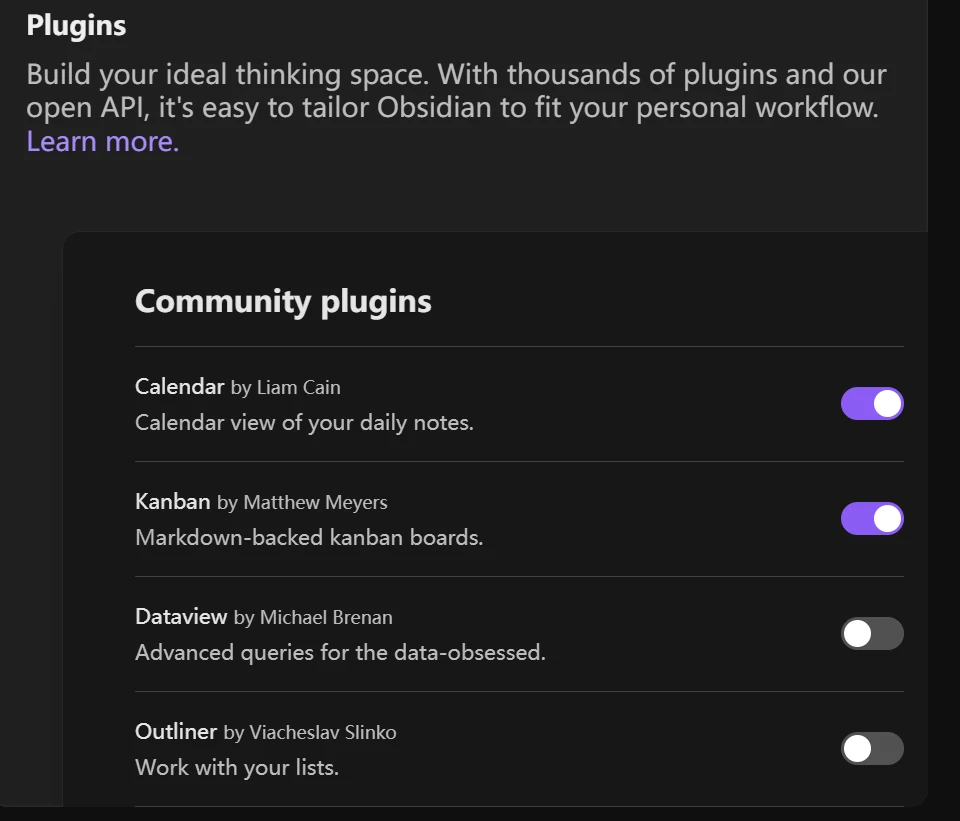
- The Plugin Ecosystem: With over 1,500 community plugins, you can transform Obsidian into anything from a task manager to a long-form writing environment. In 2026, plugins like "Obsidian Canvas" have matured, allowing for powerful visual spatial thinking.
- Data Ownership: Because it uses Markdown, your notes are not trapped in a proprietary format. This makes it a top choice for academics and researchers who are building a lifetime body of work.
Limitations: There is no real-time collaborative editing, official Sync is a paid add-on ($4/month billed annually), and a heavily customized vault takes ongoing plugin maintenance — the flexibility that makes it powerful is also what makes it work.
Best for: Tech-savvy users and "digital gardeners" who want total control over their data and a highly customizable Knowledge Management Tool.
4. Tana: The Semantic Knowledge Operating System
Tana has redefined how we think about data structures within Second Brain Apps. It moves away from the traditional document-centric model and introduces a "node-based" system where every piece of information is an object with specific properties. This makes it one of the most powerful Personal Knowledge Management solutions for structured thinkers.
The Innovation of Supertags
Tana’s core innovation is the "Supertag." Instead of just tagging a note with a keyword, you assign it a schema.
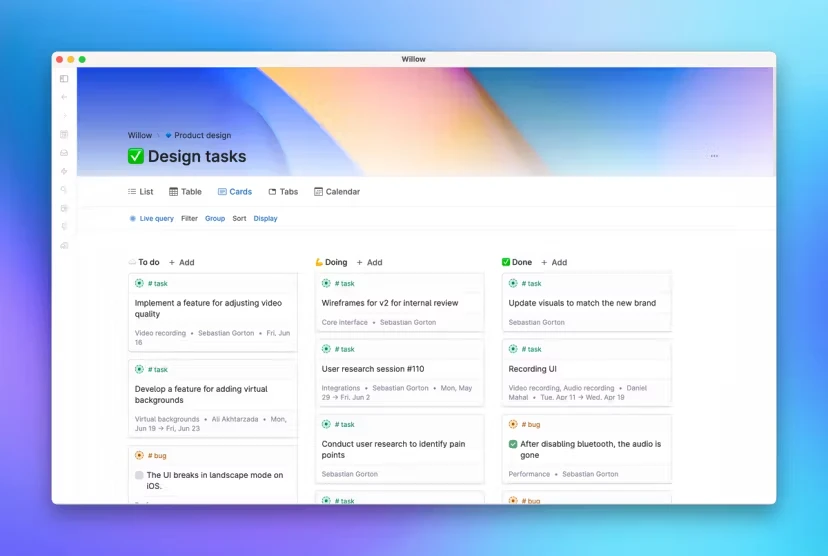
- Object-Oriented Thinking: If you tag a note as #Meeting, Tana automatically adds fields for "Date," "Participants," and "Action Items." This allows for incredible automation; a task tagged within a meeting note can automatically appear in your global "To-Do" dashboard.
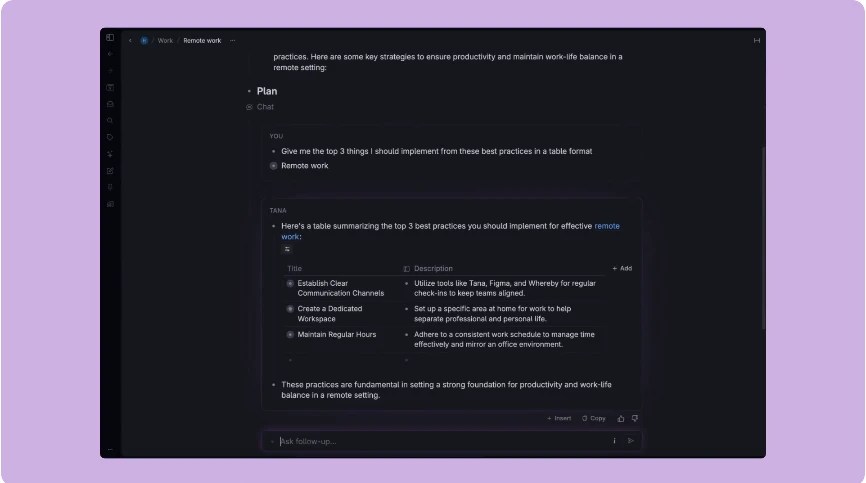
- The Tana Core AI: In 2026, Tana’s AI is specialized in "Tagging and Mapping." It can analyze a raw meeting transcript and automatically sort the data into the correct fields, drastically reducing the manual labor of digital gardening.
- Unified Workflow: Tana excels at breaking down silos. Your calendar, tasks, and long-term research all live in a single, interconnected graph.
Limitations: The supertag model asks you to design a schema before you get value, which gives it the steepest learning curve on this list, and very large graphs can feel slow.
Best for: Systems thinkers and professionals who want a highly automated, structured Knowledge Management Tool.
5. Heptabase: The Visual Learning Laboratory
For many, the biggest barrier in Personal Knowledge Management is the "hidden" nature of digital notes. Heptabase solves this by putting everything on a visual whiteboard. It is designed to help you not just store information, but to understand it through spatial reasoning.
Bridging the Gap Between Learning and Doing
Heptabase follows a specific "learning cycle" philosophy: Capture, Organize, and Understand.
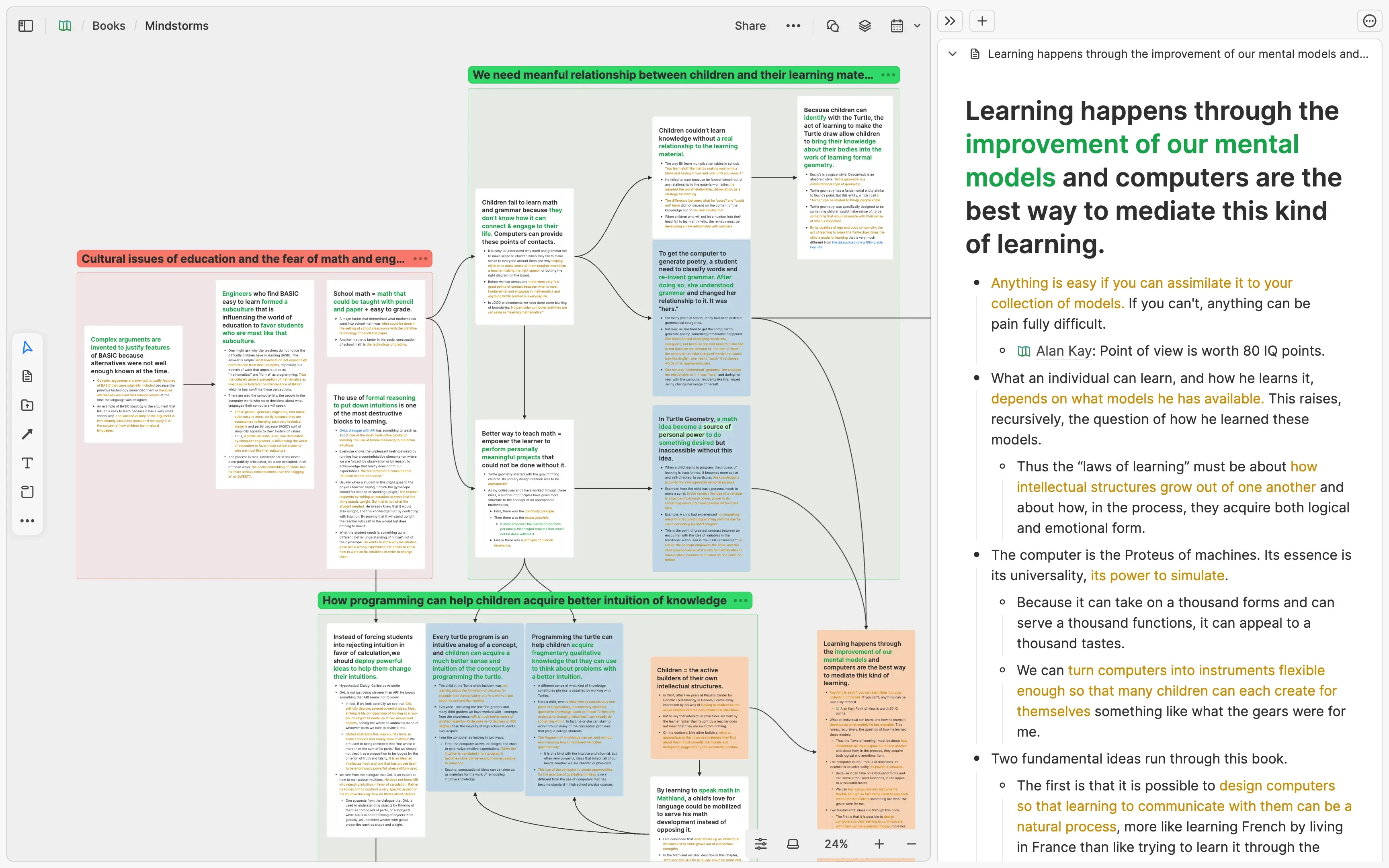
- Infinite Whiteboards: You can drag your notes onto an infinite canvas to map out complex topics. This is particularly useful for visual learners who need to see the "Big Picture" to make sense of their Second Brain Apps.
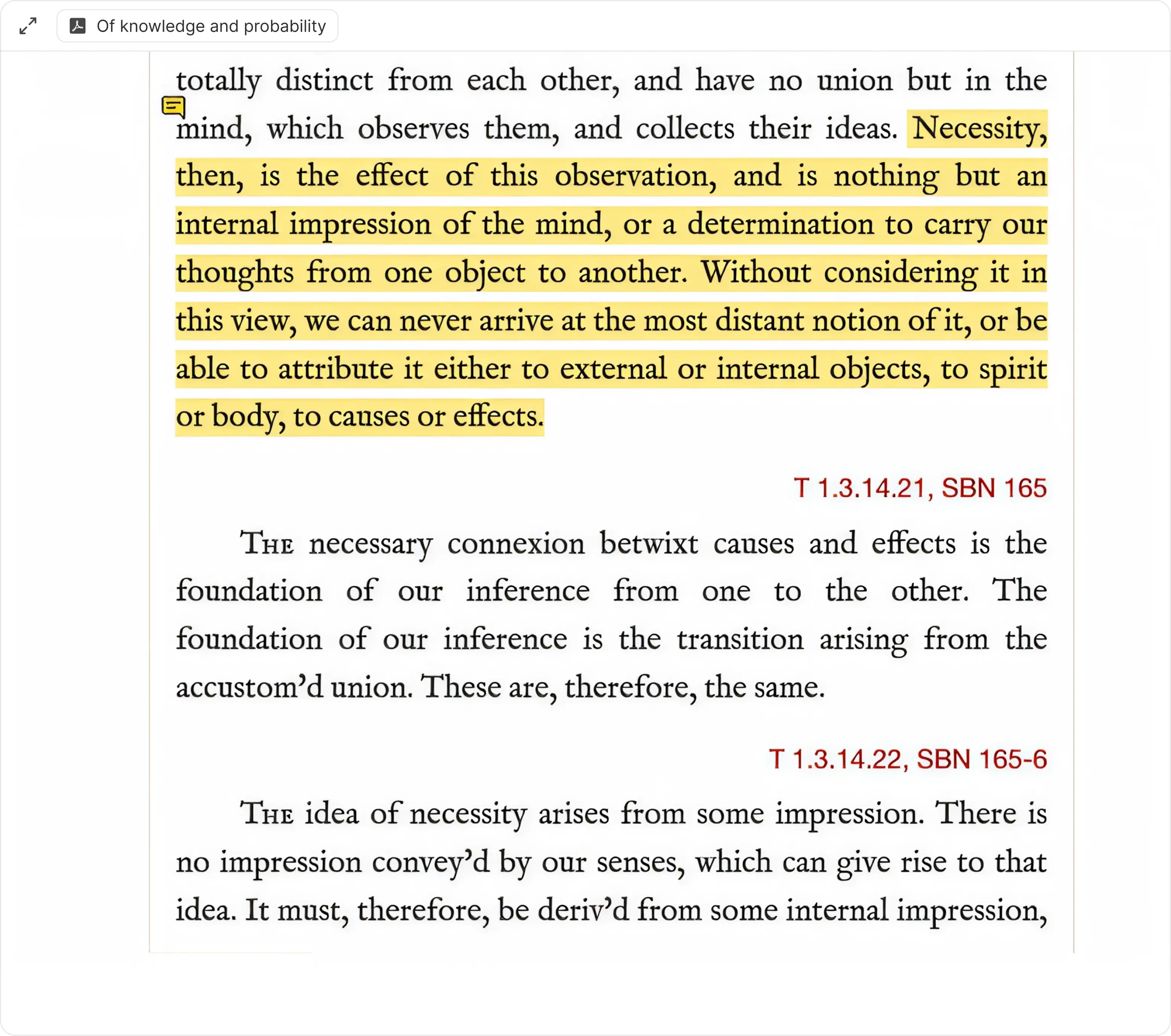
- Deep Research Capabilities: Heptabase allows you to open multiple PDF sources alongside your notes. You can highlight text in a PDF and drag it directly into a note card, maintaining a permanent link back to the source.
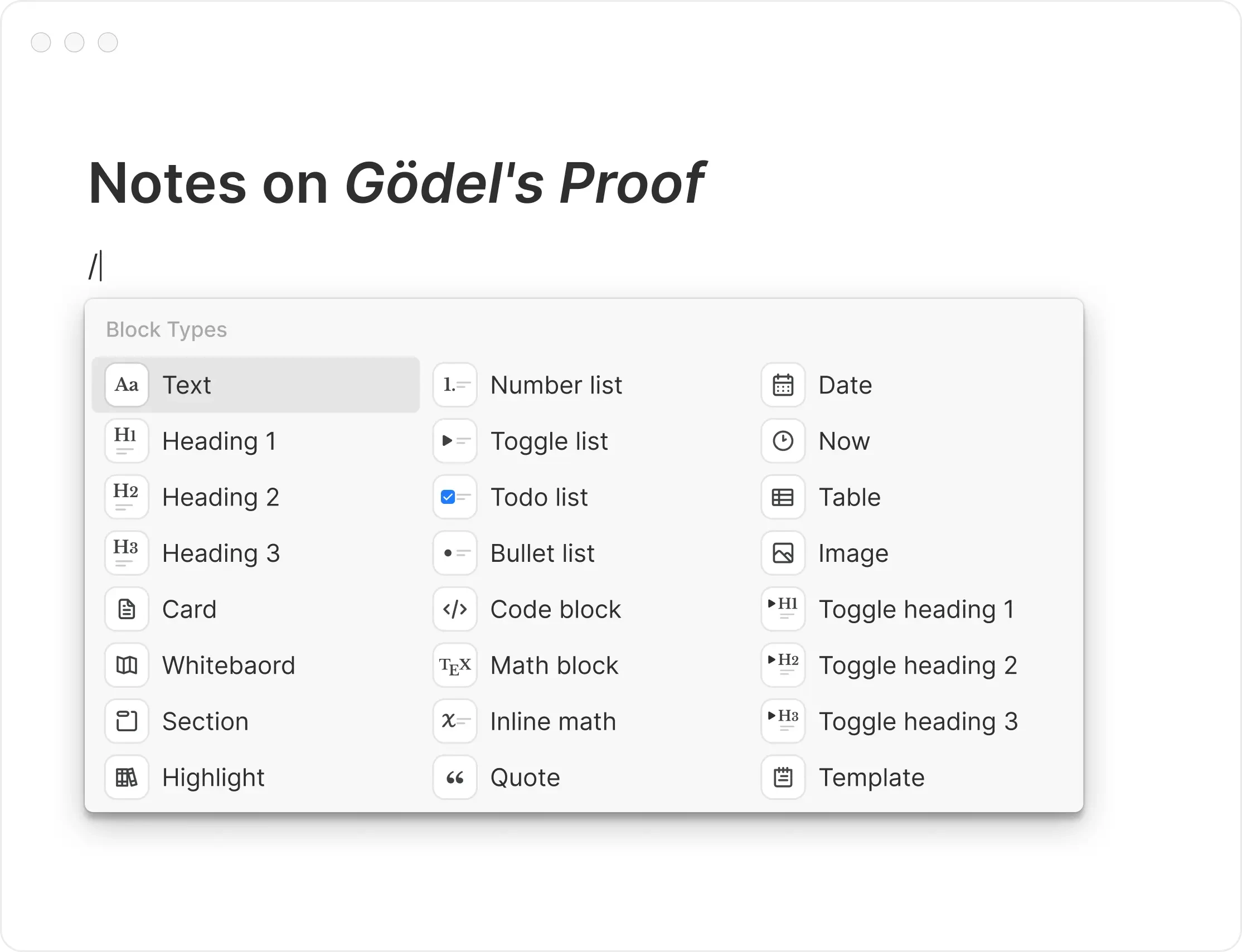
- Seamless Integration: While it feels like a whiteboard, every card is a full-featured Markdown document. This allows you to switch between visual mapping and deep writing effortlessly.
Limitations: There is no meaningful free tier, and the whiteboard-first model is weaker when you need linear documents, structured databases, or team permissions.
Best for: Visual learners, researchers, and students who are dealing with complex, multi-source projects.
6. Logseq: The Privacy-Centric Outliner
Logseq is an open-source, privacy-first Knowledge Management Tool that focuses on an "outliner" structure. Like Obsidian, it is local-first, but it treats information as individual "blocks" or bullet points. This makes it incredibly efficient for rapid capture and daily journaling.
Networked Outlining and Spaced Repetition
Logseq is a favorite among those who follow the Zettelkasten method but prefer the structured flow of bullet points.
Daily Journals as an Inbox: Logseq encourages you to start every day on a "Daily Journal" page. You record everything there, and through the use of [[Links]] and #Tags, the information is automatically routed to the correct project pages.
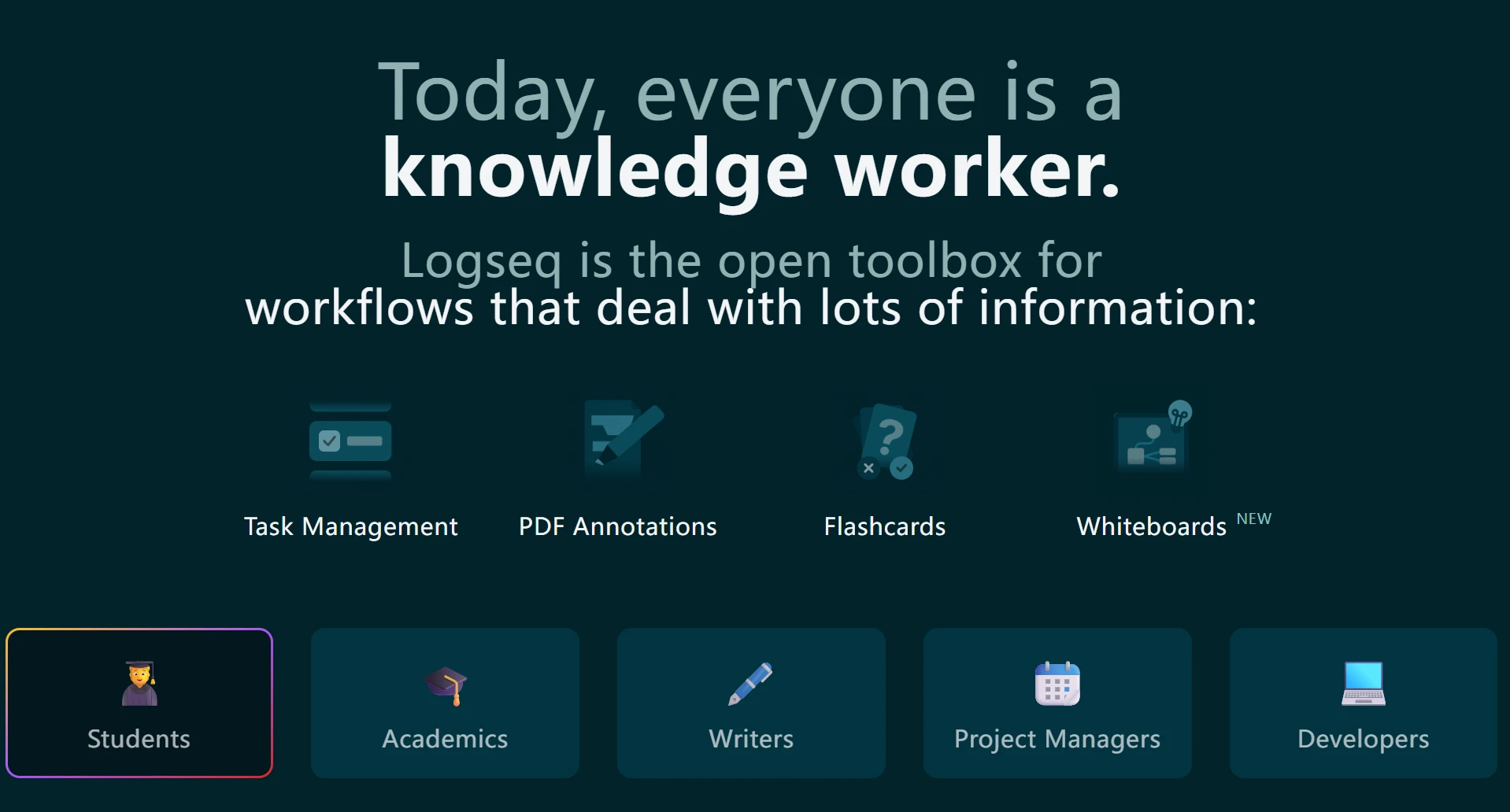
Built-in Spaced Repetition: One of Logseq’s unique features is its native flashcard system. This allows students and lifelong learners to move information from their "Second Brain" into their "First Brain."
PDF Annotation: Logseq offers some of the best PDF annotation tools in the PKM space, allowing you to link specific coordinates of a document directly to your notes.
Limitations: Everything is an outline, which feels rigid for long-form writing, and mobile is noticeably behind desktop.
Best for: Researchers and academics who prefer an outline-based, local-first Personal Knowledge Management system.
7. Anytype: The Decentralized Notion Alternative
Anytype is one of the most ambitious Second Brain Apps of 2026. It aims to provide the user experience of Notion with the privacy of a decentralized network. It is built on the "Anypans" protocol, which ensures that your data is encrypted and synced peer-to-peer.
No-Code Knowledge Bases
Anytype allows users to build their own tools within the app without writing code.
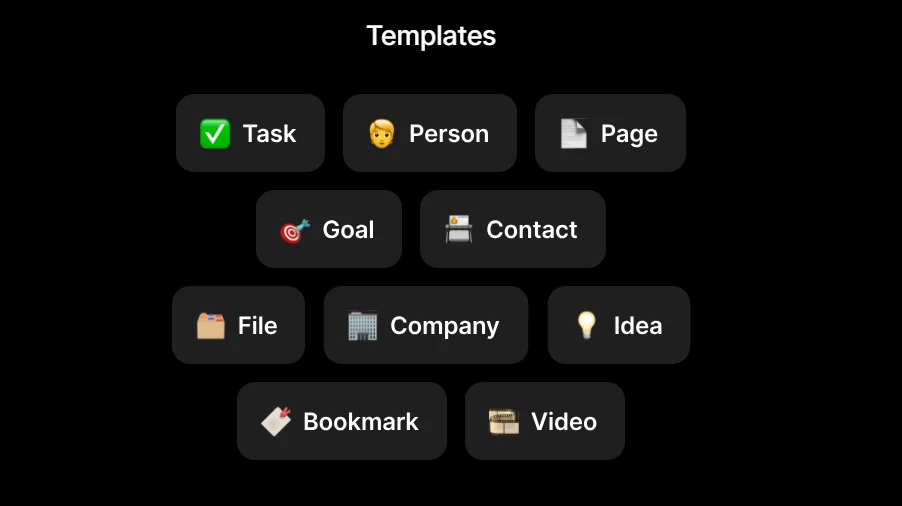
- Object-Based Structure: Similar to Tana, Anytype treats everything as an "object" (e.g., a Person, a Project, or a Task). You can create custom templates and relations to suit your specific Personal Knowledge Management needs.
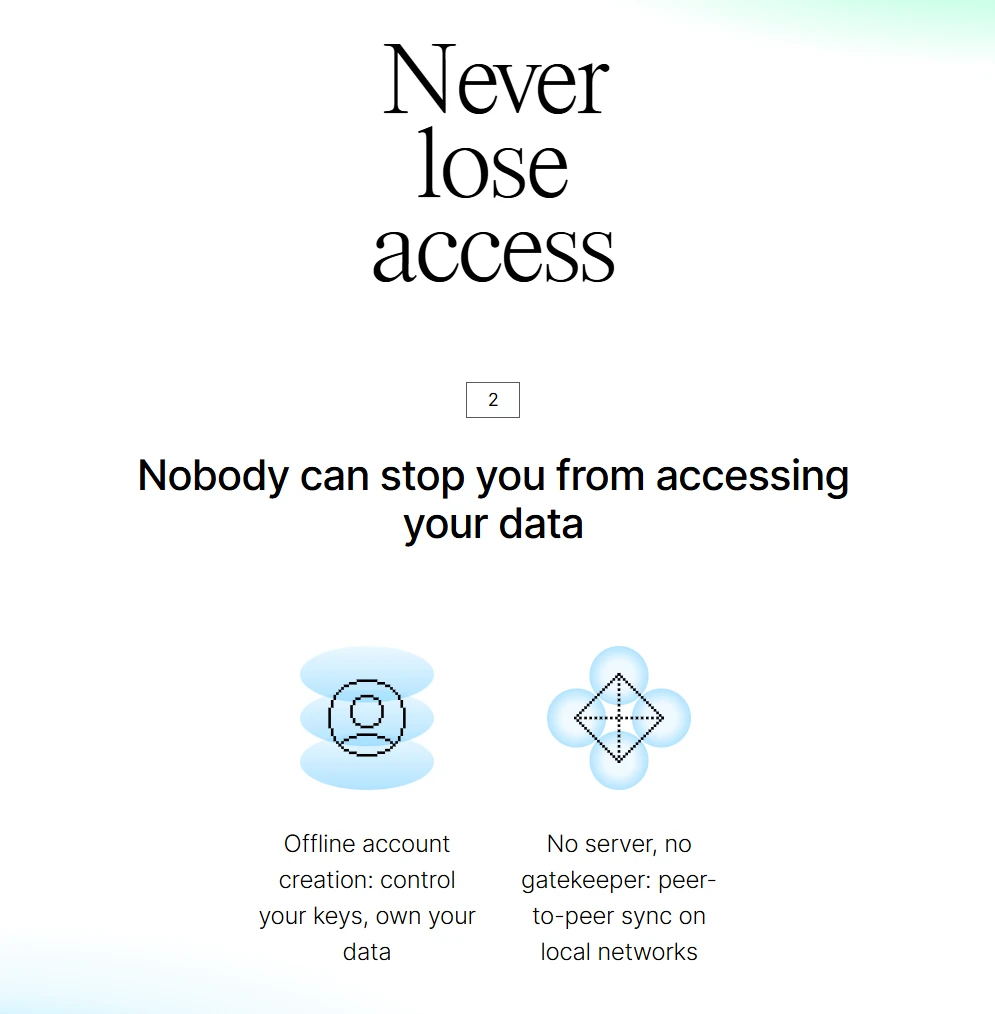
- Offline First: Unlike many Notion alternatives, Anytype works perfectly offline. Your data is synced across your devices using a local network or encrypted relay, meaning no company can ever read your content.
- Visual Dashboards: It offers beautiful, customizable widgets and dashboards that allow you to visualize your knowledge in a way that is both functional and aesthetically pleasing.
Limitations: Peer-to-peer sync is harder to reason about than ordinary cloud sync, and the template and community ecosystem is still small.
Best for: Privacy advocates who want a high-end, visual Knowledge Management Tool without relying on the cloud.
8. Mem: The AI-First Productivity Tool
Mem was a pioneer in the "AI-native" category of Second Brain Apps. In 2026, it has matured into a tool that aims to eliminate the need for manual organization entirely. Its philosophy is that you should spend your time thinking, not filing.
The End of Folders
Mem uses proprietary AI models to create a self-organizing Personal Knowledge Management system.
- Mem Chat: This feature allows you to converse with your knowledge base. You can ask, "What were the key takeaways from my meetings with the design team last month?" and Mem will synthesize an answer based on your specific notes.
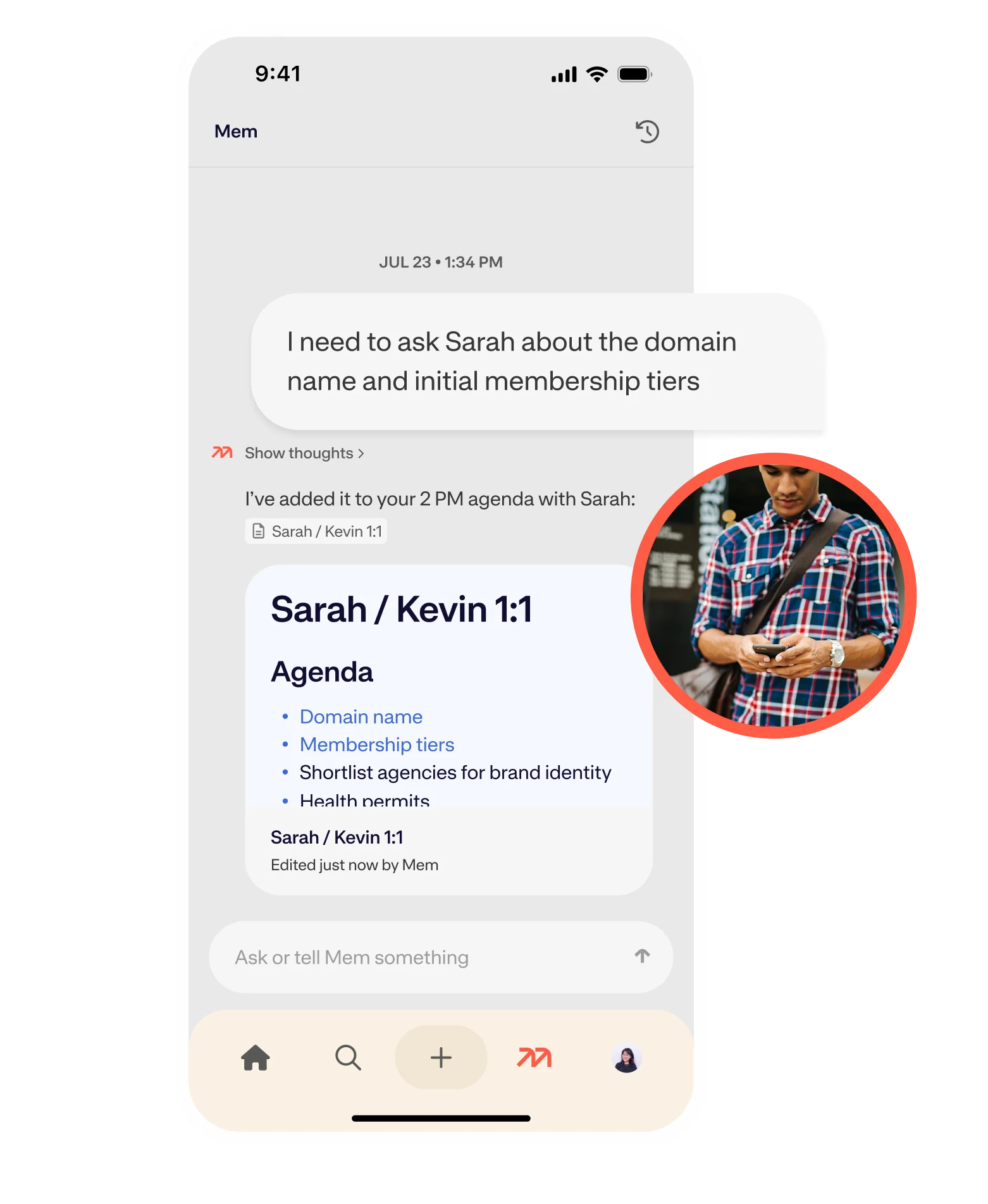
- Contextual Suggestions: As you write, Mem displays "Related Mems" in a sidebar, surfacing information you might have forgotten. This creates a serendipitous environment for digital gardening.
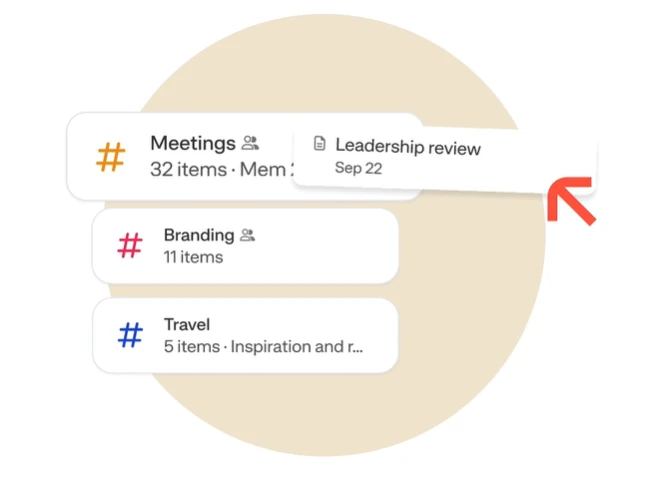
- Seamless Capture: With integrations for email, calendar, and Slack, Mem captures the "exhaust" of your professional life and turns it into structured knowledge automatically.
Limitations: Handing organization to the AI means giving up manual control over structure; when it files something the way you would not, there is little to override it with.
Best for: Busy professionals who want an AI-powered knowledge base that requires zero manual maintenance.
9. Reflect: The High-Speed Digital Journal
Reflect focuses on the core utility of a Second Brain: speed and reliability. In the crowded market of Second Brain Apps, Reflect stands out by doing less, but doing it better. It is designed for founders, executives, and high-level thinkers who need to record thoughts at the speed of light.
Security Meets Simplicity
Reflect is built on a "Calendar-first" logic, making it excellent for professional networking and meeting management.
End-to-End Encryption: Reflect ensures that your notes are encrypted before they ever leave your device. Even the developers cannot access your data.
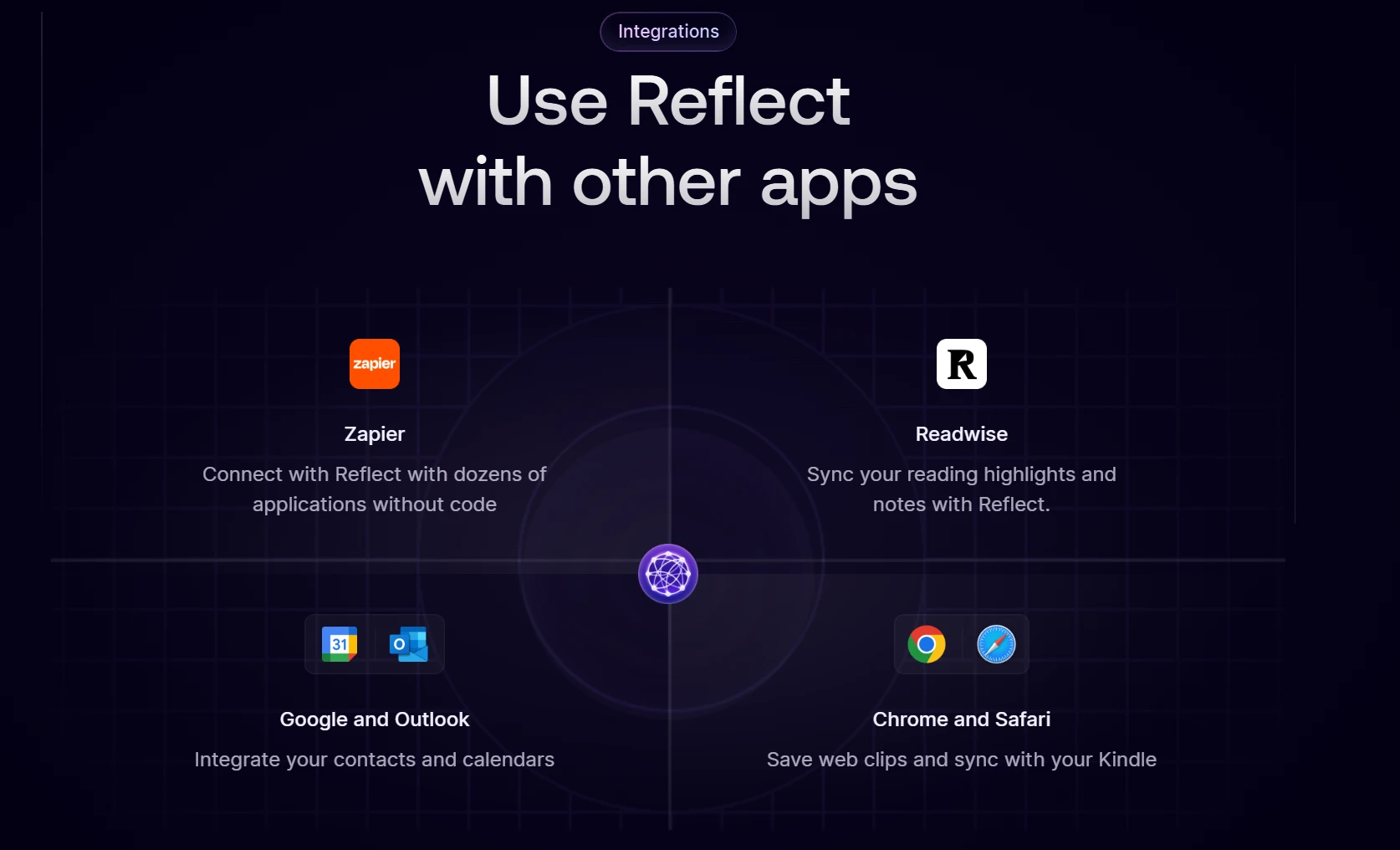
Kindle and Readwise Sync: It automatically pulls in your highlights from books and articles, making it a powerful Knowledge Management Tool for synthesizers.
- Networked Thinking: While simple, it supports bi-directional linking, allowing you to build a complex web of thoughts over time without the friction of a complex UI.
Limitations: The daily-notes model is opinionated and there are no databases or structured views, which makes the price hard to justify unless that workflow is exactly yours.
Best for: Executive leaders and "thinkers" who value speed, security, and a frictionless writing experience.
10. Notion: The Template Ecosystem Everyone Starts With
Notion is the default answer for most people building a second brain, and for a defensible reason: pages, databases, and views cover the majority of PKM workflows without configuration, and the community template library is by far the largest in this category.
Databases First, Documents Second
Notion's model is that almost everything is a database row wearing a document's clothes.
- Databases with multiple views: One set of pages can be a table, a board, a calendar, a gallery, or a timeline. Most of the second brain systems people share online — PARA, Zettelkasten, CODE — are Notion databases underneath.
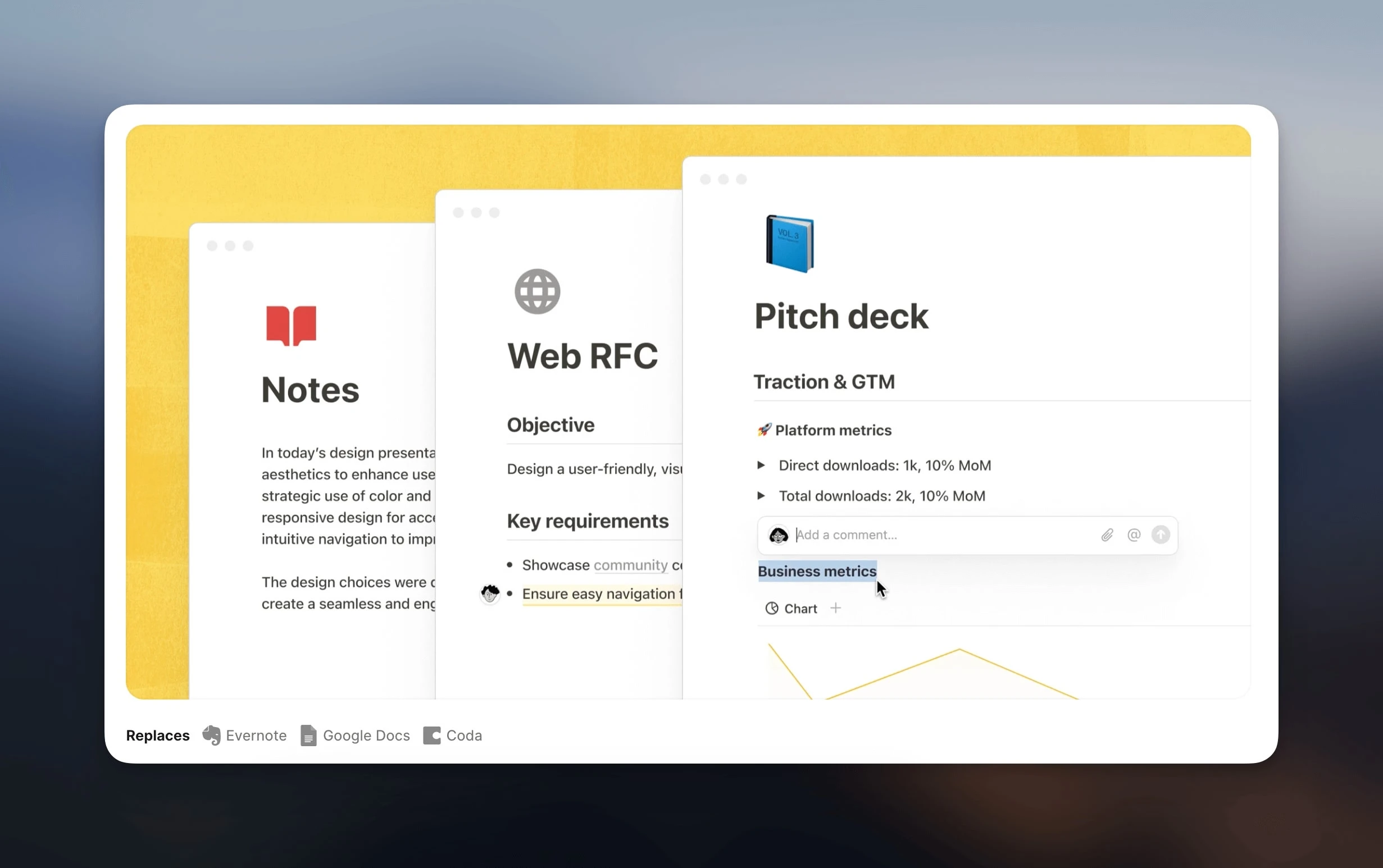
The largest template ecosystem: Whatever method you want to try, someone has already published a build of it. That lowers the cost of testing a system before you commit to it.
A free plan that works solo: Unlimited pages and blocks for individual use, 5 MB file uploads, 7 days of page history, and up to 10 guests. Workspaces with two or more members hit a block limit instead.
Limitations: Performance degrades in very large workspaces, offline access covers only pages you have explicitly marked, and there is no local-first storage — your notes live in Notion's cloud. AI beyond the trial features requires a paid plan, and Notion Agents are Business and Enterprise only.
Best for: People who want databases and a ready-made template for every method, and who would rather borrow a proven system than design one.
11. Saner.ai: Cognitive Support for Information Workers
Saner.ai is built for the era of "Information Overload." It positions itself as a cognitive support system rather than just a storage app. It is designed to reduce the "switching cost" of managing multiple information streams.
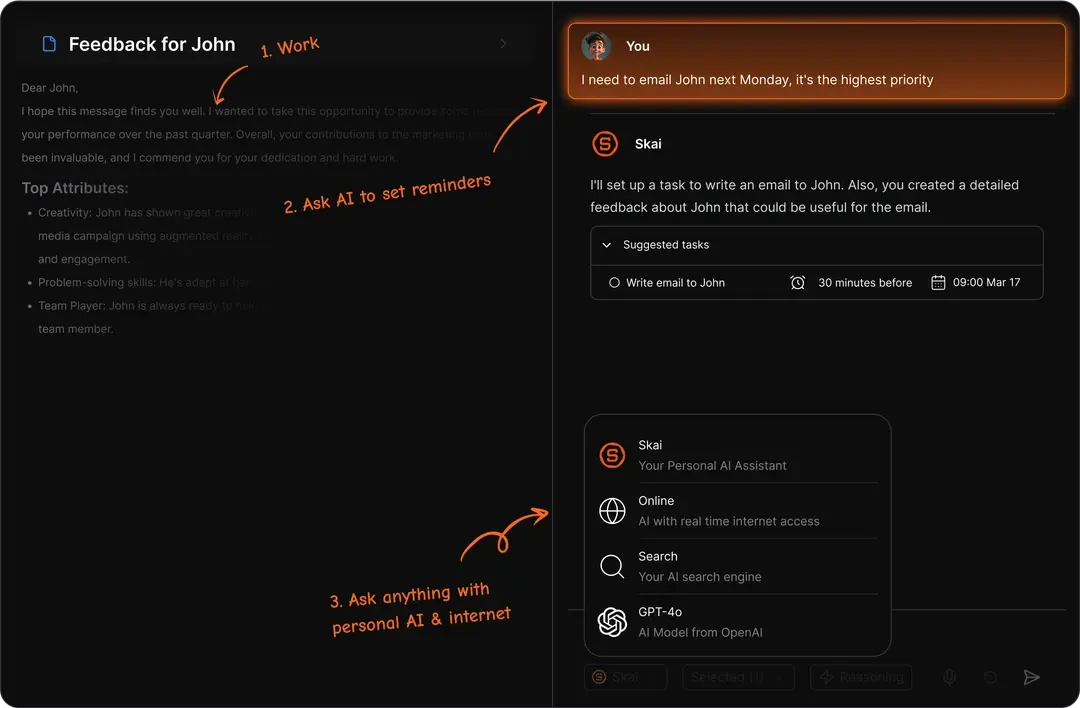
Focus and Synthesis
Saner.ai focuses on the "Active" part of Personal Knowledge Management.
The Side-Panel Assistant: A browser extension that acts as a "mini" Second Brain while you browse. You can clip, summarize, and ask questions about any webpage without leaving your current tab.
Insight Generation: Its AI-powered knowledge base is specifically tuned to find "Insights"—connections between your current task and your past data that you might not have realized.
Distraction-Free Environment: The UI is designed to be ultra-minimalist, helping you stay in "Deep Work" mode while you process your notes.
Limitations: It is the youngest product here, and the browser side-panel focus means it supports synthesis better than long-term knowledge structure.
Best for: Market researchers, analysts, and anyone who spends their day consuming high volumes of web content.
12. NotebookLM: Google’s Research Powerhouse
NotebookLM (by Google) has become a fundamental Knowledge Management Tool for those dealing with massive volumes of specific source material. Unlike general AI chatbots, NotebookLM is "source-grounded," meaning it only uses the information you provide.
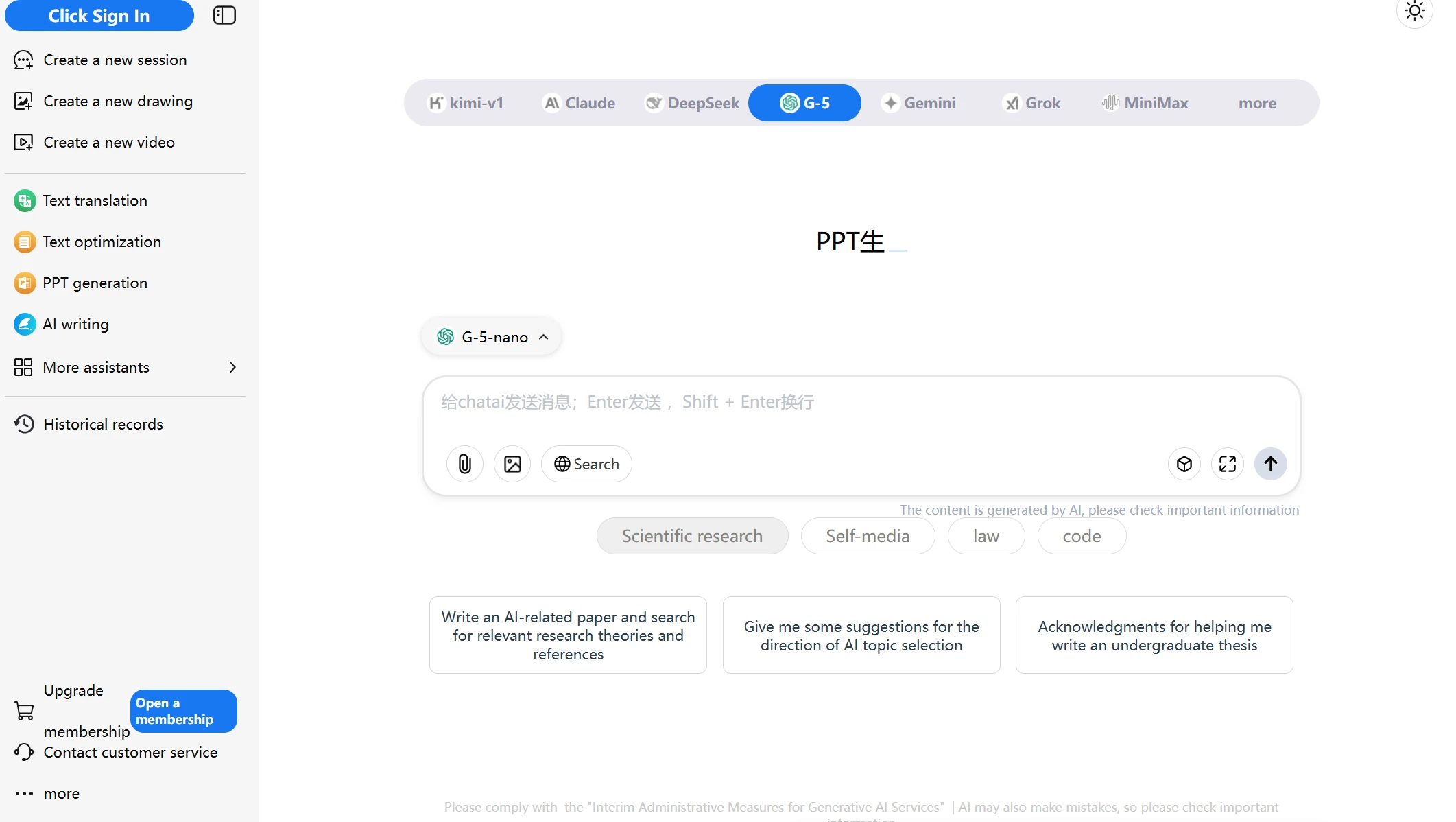
Research and Source Grounding
NotebookLM solves the "hallucination" problem of AI by strictly adhering to your uploaded documents.
Source-Based Q&A: You can upload dozens of PDFs, transcripts, and docs. The AI then becomes an expert on that specific data, providing citations for every answer it gives.
Audio Overviews: A unique 2026 feature that generates a realistic "podcast-style" conversation between two AI hosts about your notes. This is an incredible way to review your Personal Knowledge Management library on the go.
Gemini Integration: Leveraging the latest Gemini models, it can synthesize connections across thousands of pages of research in seconds.
Limitations: Answers are grounded strictly in sources you upload, so it cannot serve as your permanent notes home, and editing and organization features are minimal.
Best for: Students, legal professionals, and deep researchers who need a high-accuracy AI-powered knowledge base.
13. Capacities: The Studio for Modern Thinkers
Capacities is a "Studio" for your mind that uses an object-based approach similar to a personal wiki. It is one of the most aesthetically pleasing Second Brain Apps, designed for those who find traditional folders stifling.
A World of Objects
In Capacities, you don't just have "notes"—you have entities that represent the real world.
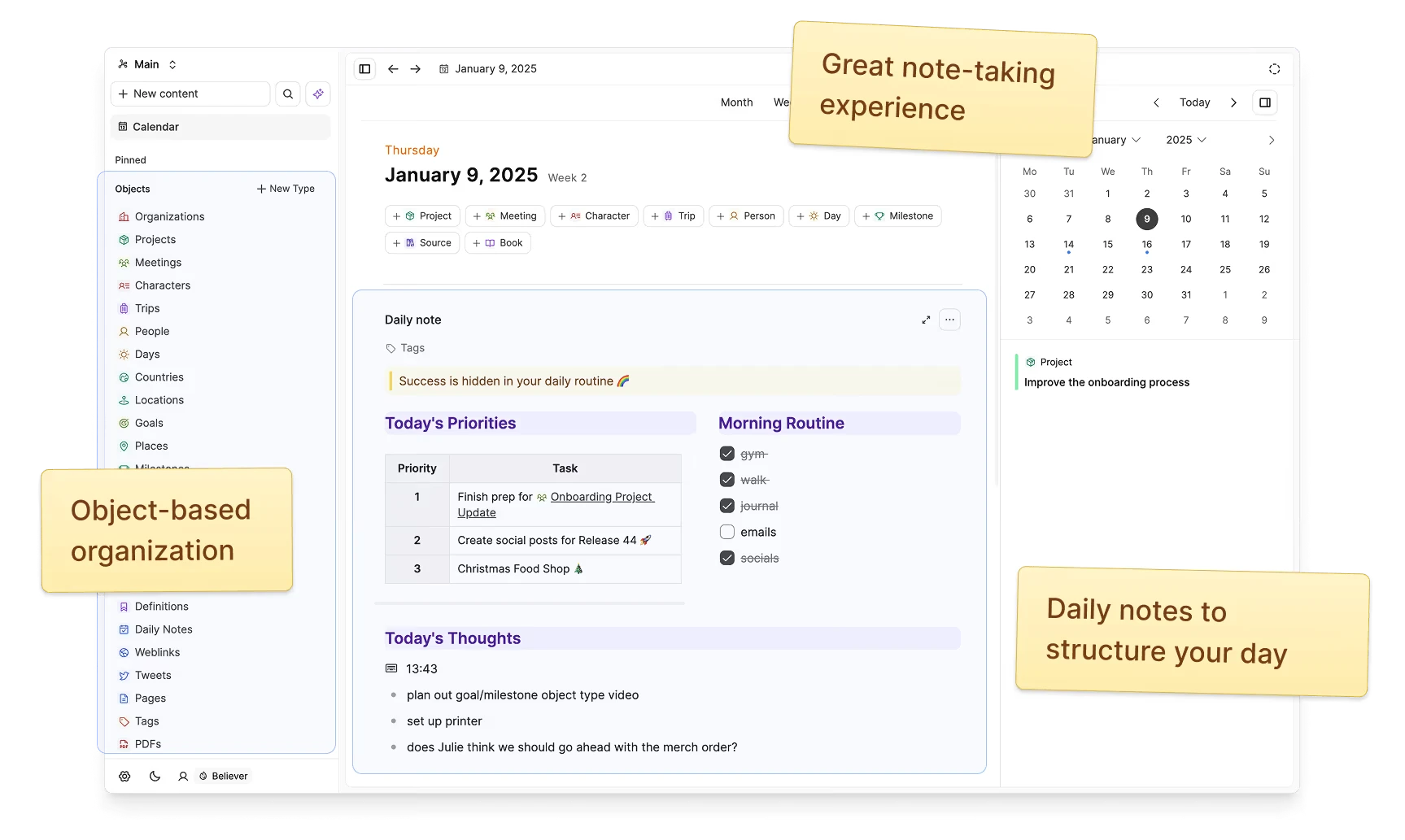
Defined Content Types: You define what a "Person," "Book," or "Topic" looks like. Every time you add a new entity, it inherits the structure you’ve built, making your Personal Knowledge Management system incredibly consistent.
The "Daily Note" Hub: Like Logseq, it uses a daily note as the entry point, but it visualizes your day as a beautiful timeline of created objects.
Networked Search: Its search engine is designed to find relationships. Searching for a "Person" will instantly show every meeting, book, and project linked to them.
Limitations: The object model rewards planning your entity types up front, and task management, the AI assistant, and calendar integrations all sit behind the paid tier.
Best for: Creative professionals who think in terms of people, projects, and entities rather than files.
14. AFFiNE: The Open-Source, Local-First Workspace
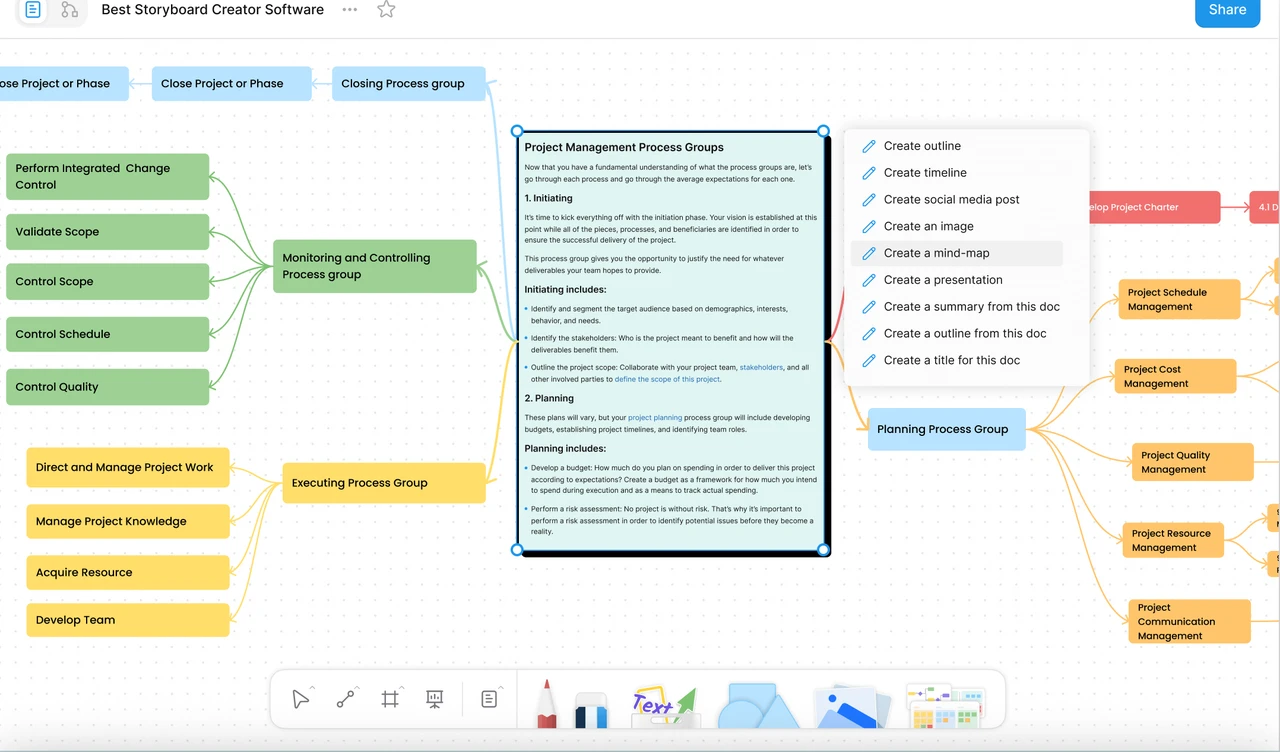
AFFiNE is worth a look if you want the structure of a modern workspace without handing your knowledge base to a vendor. It merges documents, an infinite whiteboard, and databases into a single editor, and you can run the whole stack yourself.
Own the Software, Not Just the Notes
- Local-first by default: Workspaces live on your machine and cloud sync is opt-in, which puts AFFiNE alongside Obsidian and Logseq on data ownership while keeping a block editor much closer to Notion.
Open source and self-hostable: The editor and most of the codebase are MIT-licensed and auditable; the backend server ships under a source-available licence and deploys with Docker. Self-hosting is free for up to 10 seats per workspace.
Docs and canvas are the same document: Any page flips between a linear document and an infinite canvas without exporting or duplicating anything.
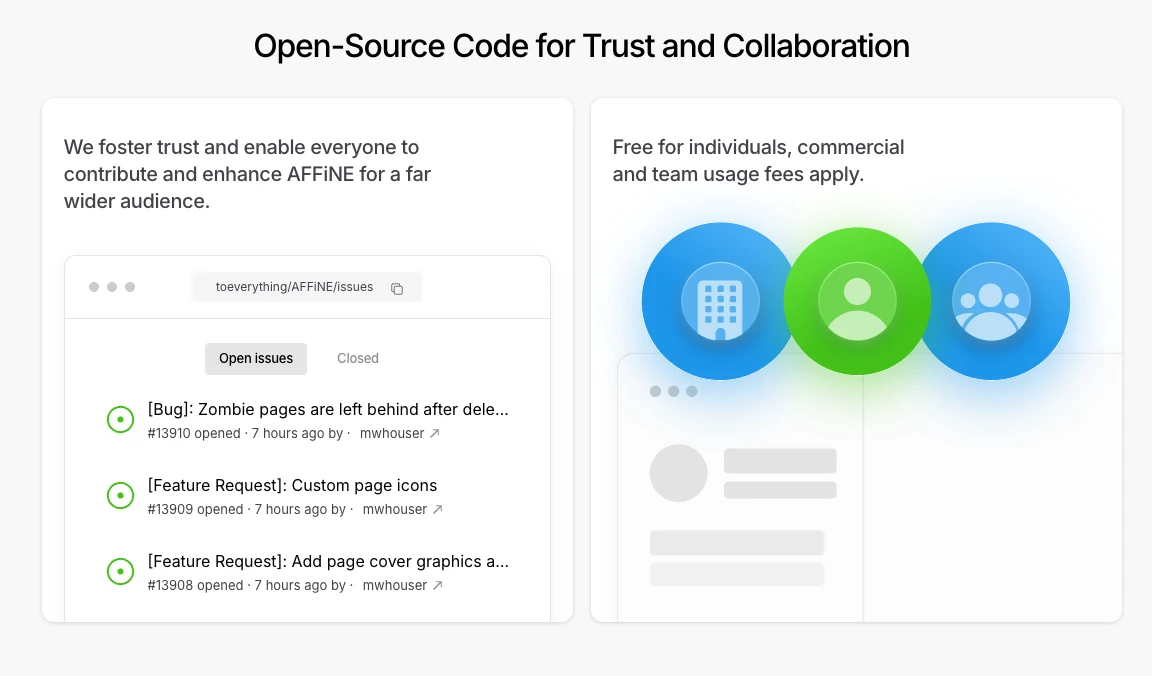
- A free tier with no time limit: Unlimited local workspaces, 10 GB of cloud storage, real-time collaboration for up to 3 members, and 7 days of version history. Pro is $6.75/month and Team is $10 per seat.
Limitations: Self-hosting means you own the upgrades, backups, and downtime along with the data. On the free cloud tier, collaboration caps at three members per workspace and version history stops at seven days, so a growing team hits those ceilings quickly.
Best for: Developers and privacy-minded teams who want a Notion-shaped workspace they can audit, fork, and run on their own server.
15. Supernotes: The Collaborative Card System
Supernotes is built for speed and social knowledge sharing. It breaks away from the long-form document and treats every note as a "Powercard." This makes it one of the most flexible Second Brain Apps for students and small teams.
Fast, Modular, and Social
Supernotes emphasizes that knowledge should be modular and easily shared.
- Powercards: These are bite-sized notes that can be nested, tagged, and linked. Because they are short, they are much easier to manage and review than traditional long-form notes.
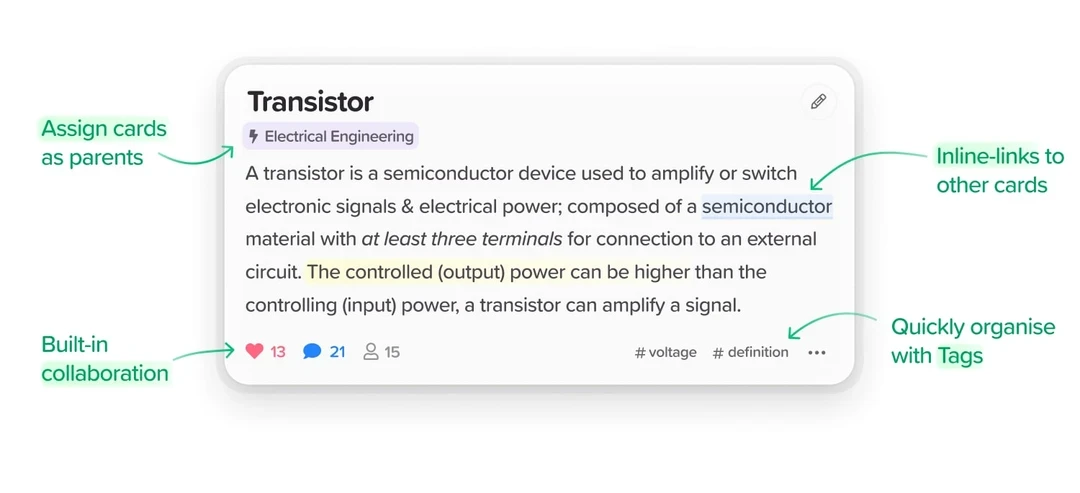
- Coupled Collaboration: You can share a single card or a whole "nest" of cards with a friend or colleague. Changes happen in real-time, making it a great Knowledge Management Tool for study groups.
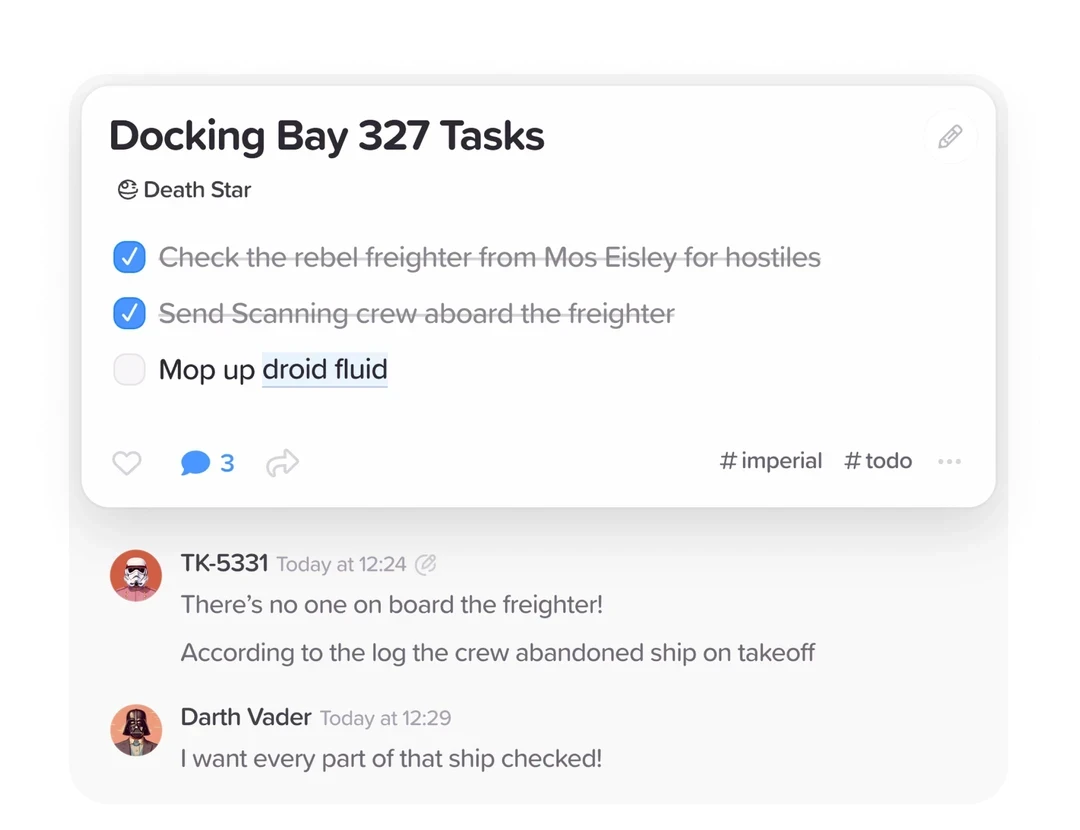
- Multi-Parenting: A single card can exist in multiple places at once. If a note on "AI Ethics" applies to both your "Technology" and "Philosophy" folders, it appears in both without duplication.
Limitations: The card format discourages long-form writing, and the ecosystem around it is small compared with Obsidian or Notion.
Best for: Students and agile teams who need a fast, card-based Personal Knowledge Management system.
16. Scrintal: The Visual Thinking Architect
Scrintal combines the power of mind mapping with the depth of a traditional note-taking app. It is designed for those who need to plan out big projects from scratch, providing a "birds-eye view" of their entire Second Brain Apps ecosystem.
From Chaos to Order
Scrintal’s canvas-based approach helps you organize the "messy" early stages of a project.
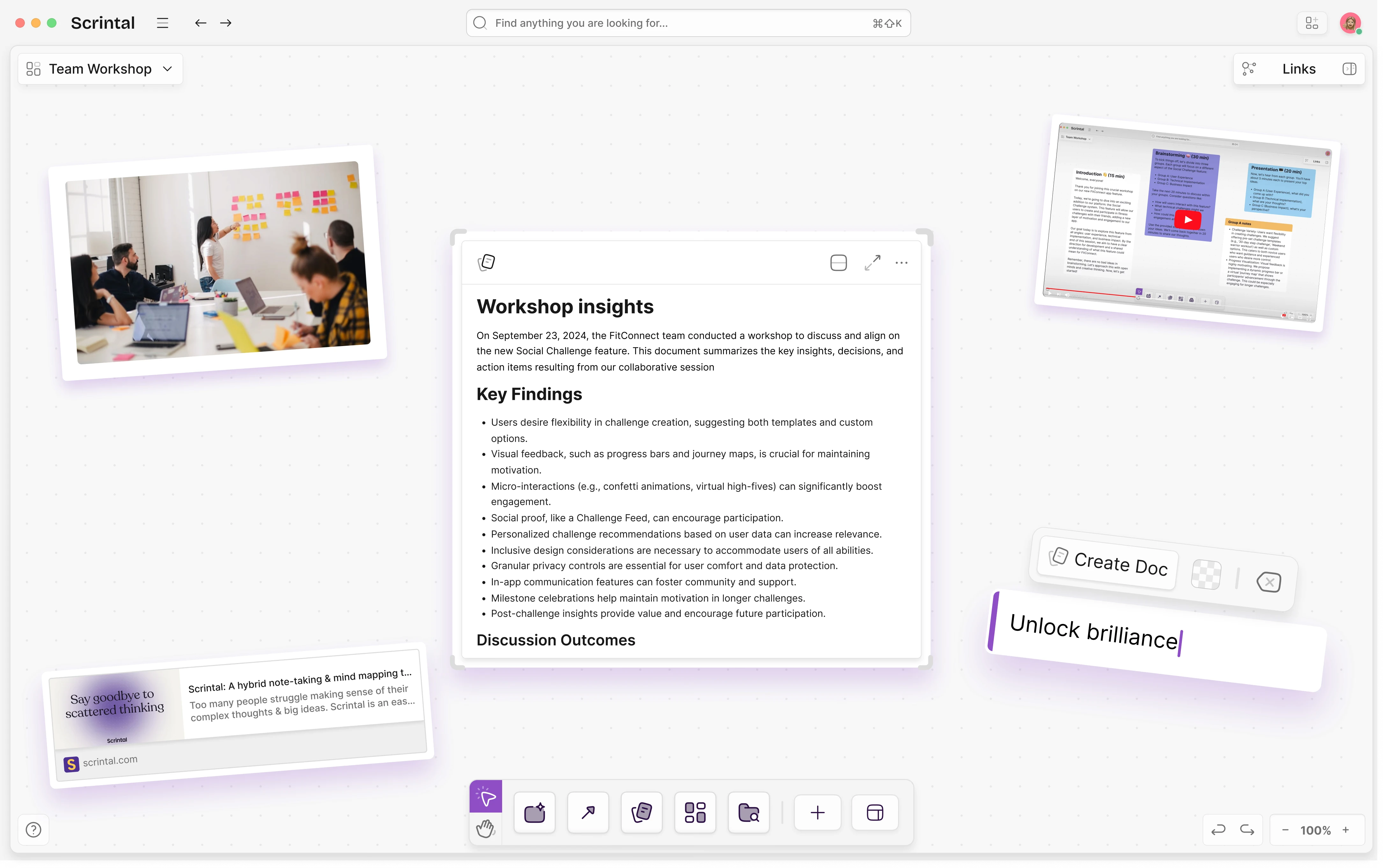
The Infinite Canvas: Like Heptabase, you work on a visual board. However, Scrintal’s UI is specifically optimized for creating hierarchical structures and "Visual Stories."
Card-to-Document Flow: You can start with a rough mind map of cards and gradually expand them into full-length documents. It is a perfect Knowledge Management Tool for strategic planning.
Link Visualization: It makes bi-directional links visible as literal lines on the canvas, helping you see the architecture of your thinking.
Limitations: Canvas-first means text-heavy and database-heavy work feels cramped, and the visual model is overkill if most of your notes are ordinary documents.
Best for: Strategists, project managers, and authors who need to visualize the "Big Picture" before diving into the details.
Frequently Asked Questions
Q: What is the best second brain app in 2026?
Buildin ranks #1 for most teams in 2026 because it combines personal PKM with team knowledge management, AI search, and optional monetization. Obsidian is the top choice for solo users who want local-first privacy and plugin flexibility. Notion remains strong for teams already in the Google Workspace ecosystem.
Q: Are second brain apps free?
Most second brain apps offer free tiers. Buildin, Notion, and Obsidian all have free plans that cover personal use. Paid plans unlock team collaboration, advanced AI, and larger storage. Obsidian is free for personal use; its sync and publish features cost extra.
Q: What’s the difference between a second brain app and a knowledge management system?
A second brain app is typically a personal knowledge management tool — designed for one person’s notes, ideas, and resources. A knowledge management system is designed for teams, with features like permissions, structured wikis, onboarding flows, and audit trails. The best modern tools (like Buildin) function as both.
Q: How do I choose a second brain app?
Focus on three questions: (1) Do you need local storage or cloud? (2) Are you using it solo or with a team? (3) Do you want AI assistance built in? For cloud + team + AI: Buildin. For local + solo + plugin ecosystem: Obsidian. For cloud + team + simple: Notion.
Q: Is Notion a good second brain app?
Notion works well as a second brain if you want databases and templates more than raw speed, and it has the largest template ecosystem in this category. It ranks tenth on this list. The trade-offs are performance in very large workspaces, offline access limited to pages you mark, and no local-first storage. Craft, Roam Research, Milanote, and Agenda are covered in our companion roundup of mainstream second brain tools.
Q: What is the best free second brain app?
Obsidian and Logseq are free for personal use and keep your files on your own disk. NotebookLM is free with a Google account — 100 notebooks and 50 sources each — but only answers from sources you upload. Among cloud tools, Capacities keeps its core product free with unlimited objects, and Buildin's free plan covers unlimited pages and blocks. Heptabase and Reflect have no free plan at all, only paid tiers.
Q: Obsidian or Notion for a second brain?
Choose Obsidian if you want plain Markdown files you own, bi-directional links, and no vendor lock-in, and you do not mind maintaining plugins. Choose Notion if you want databases, sharing, and templates without setup work. If you want structured databases without Notion's performance ceiling, Buildin sits between the two.
Summary: Building Your Personal Knowledge Management Strategy
In 2026, the best Second Brain Apps are the ones that don't just store information, but enable you to act on it. If you are a creator, Buildin offers a unique path to turn your knowledge into a business. If you are a researcher, Obsidian or Logseq offer the longevity you need. If you are a visual thinker, Heptabase or Scrintal will help you see the light.
The key to successful Personal Knowledge Management is consistency. Choose a tool that fits your natural way of thinking—whether that is visual, hierarchical, or automated—and start building your external brain today.
Sency Shen
Skilled in content structuring, topic breakdown, and background research, with a strong interest in knowledge management and content workflows. Responsible for research, information organization, and foundational content preparation at Buildin.